ACTIVATION / GORGIAS • 2024
Redesigning Help Center onboarding
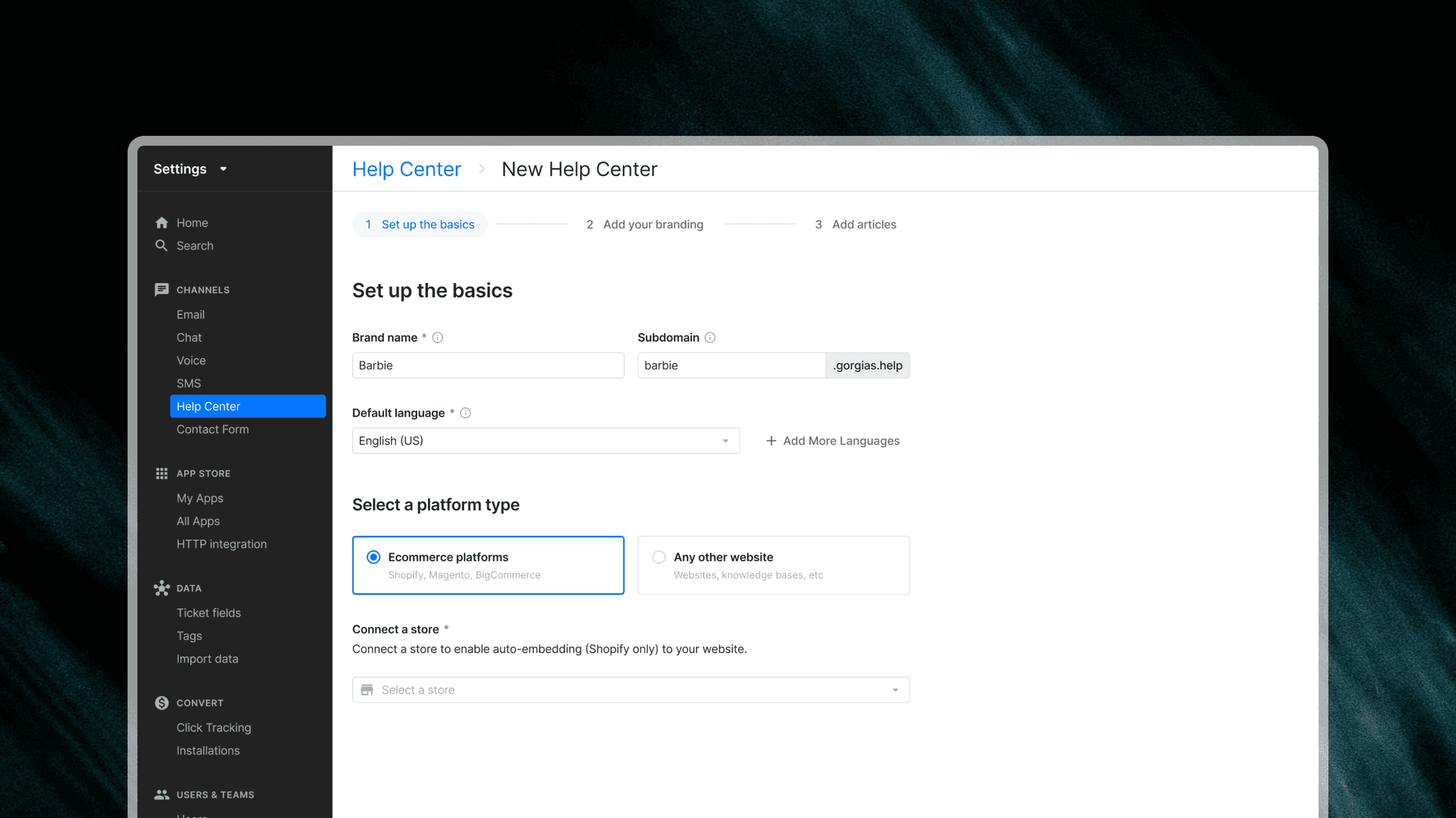
This project highlights data-informed design decisions through user testing, and building for various user segments.
ROLE
Product Designer
TIMELINE
Dec 2023 - Feb 2024
COLLABORATORS
Lenaig L., Product Manager
2 Engineers
CONTEXT
While Gorgias' Help Center channel expanded in features and capabilities over the years, its legacy onboarding experience remained unchanged.
A low (36%) adoption rate and drop-off right after creation signaled that the single-step flow was failing to guide merchants through setup or give them any reason to see it through.
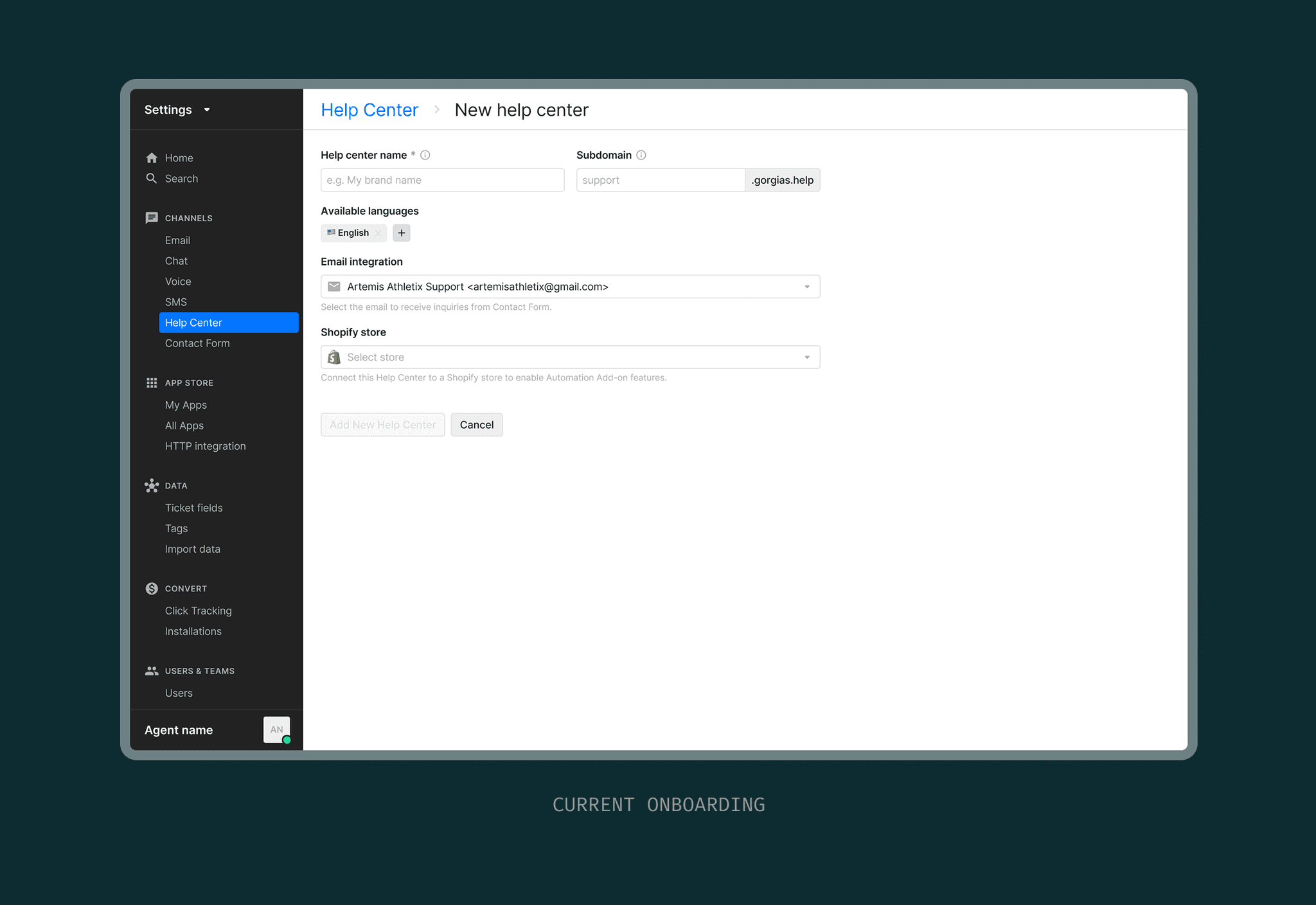
THE PROBLEM
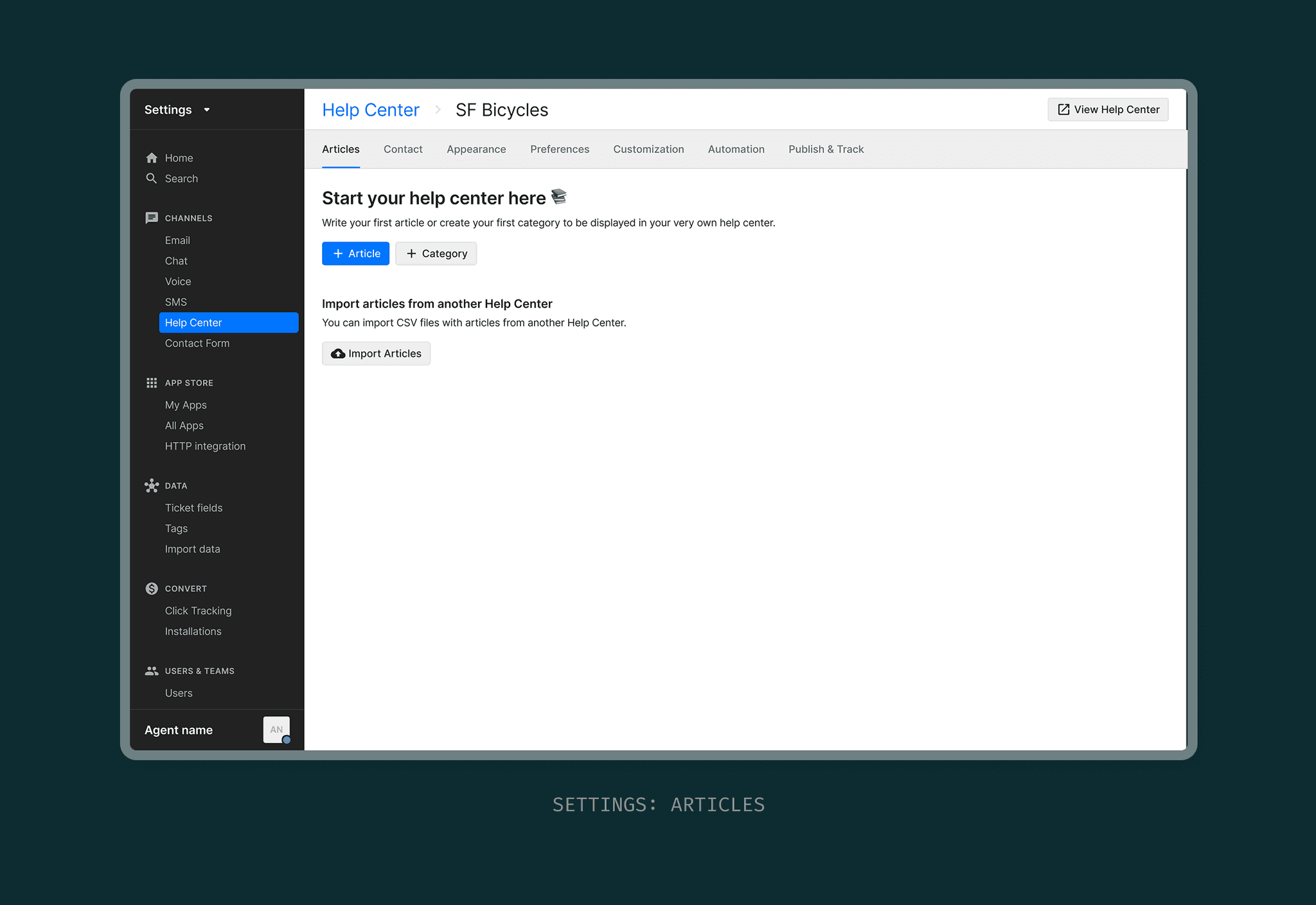
Once created, merchants are dropped into a massive list of settings, a blank article list, and no sense of what to do next.
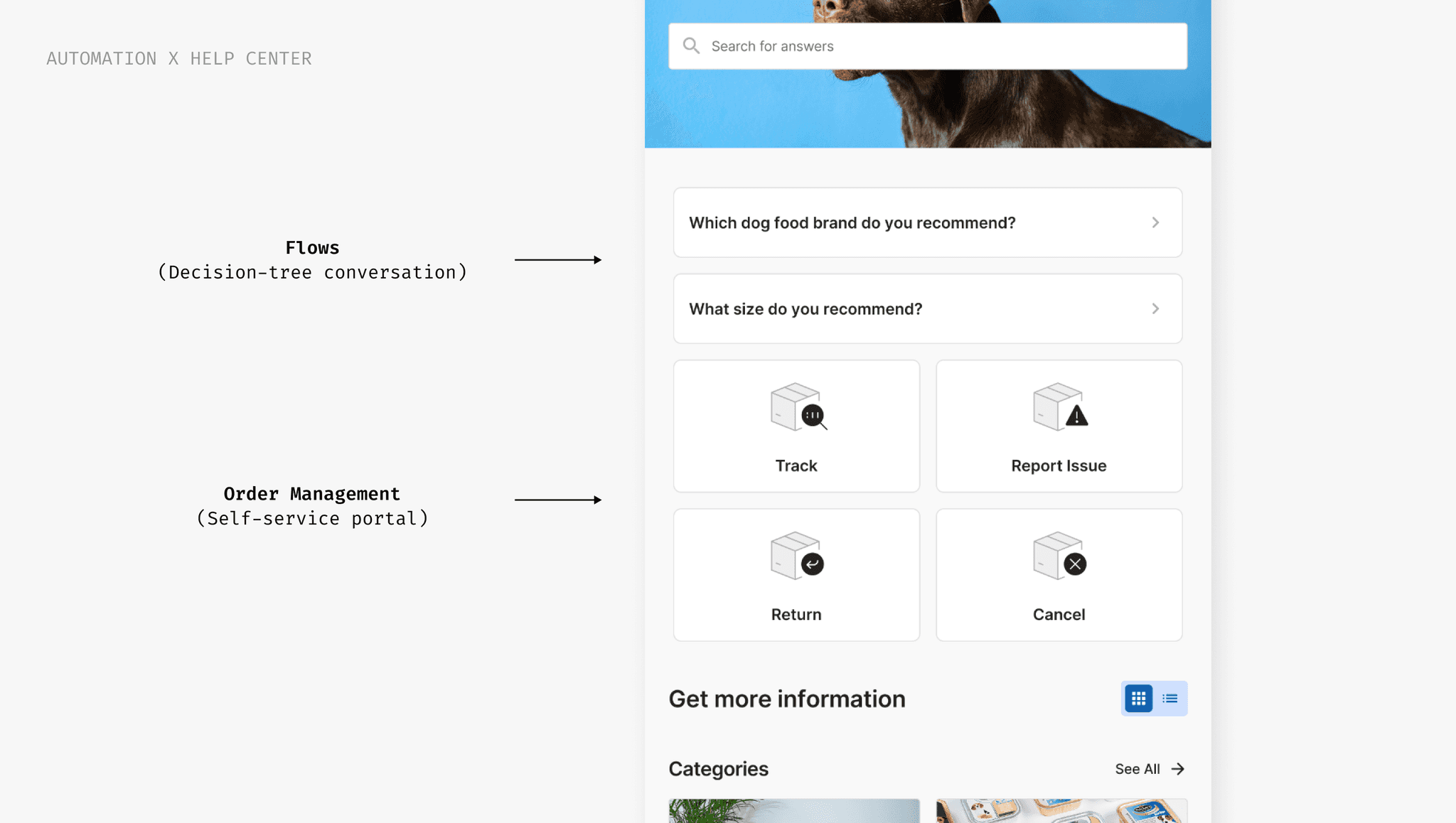
Merchants subscribed to the Automation add-on don't know how to leverage it's feature to maximize ticket deflection.
Order Management and Flows can be embedded into the Help Center to deliver instant answers without human intervention.
THE SCOPE
We initially wanted to tackle both onboarding and content creation because they're so intertwined in driving adoption.
We recognized scope bloat and narrowed the scope into phased iterations so we could ship a focused ‘launch‑ready’ experience that had faster, lower delivery risk.
Phase 1: Essential setup
Get merchants almost live with minimal effort. The goal is to be ready to flip the switch, not to be perfect.
Later: Content expansion
Mature the knowledge base over time—add core FAQs, address top contact drivers, organize categories, and iterate continuously to make self-service truly effective.
THE SOLUTION: PHASE 1
A 3-step onboarding wizard that provides fast time-to-value
We recognized scope bloat and narrowed the scope into phased projects so we could ship a focused ‘launch‑ready’ experience faster, lower delivery risk.
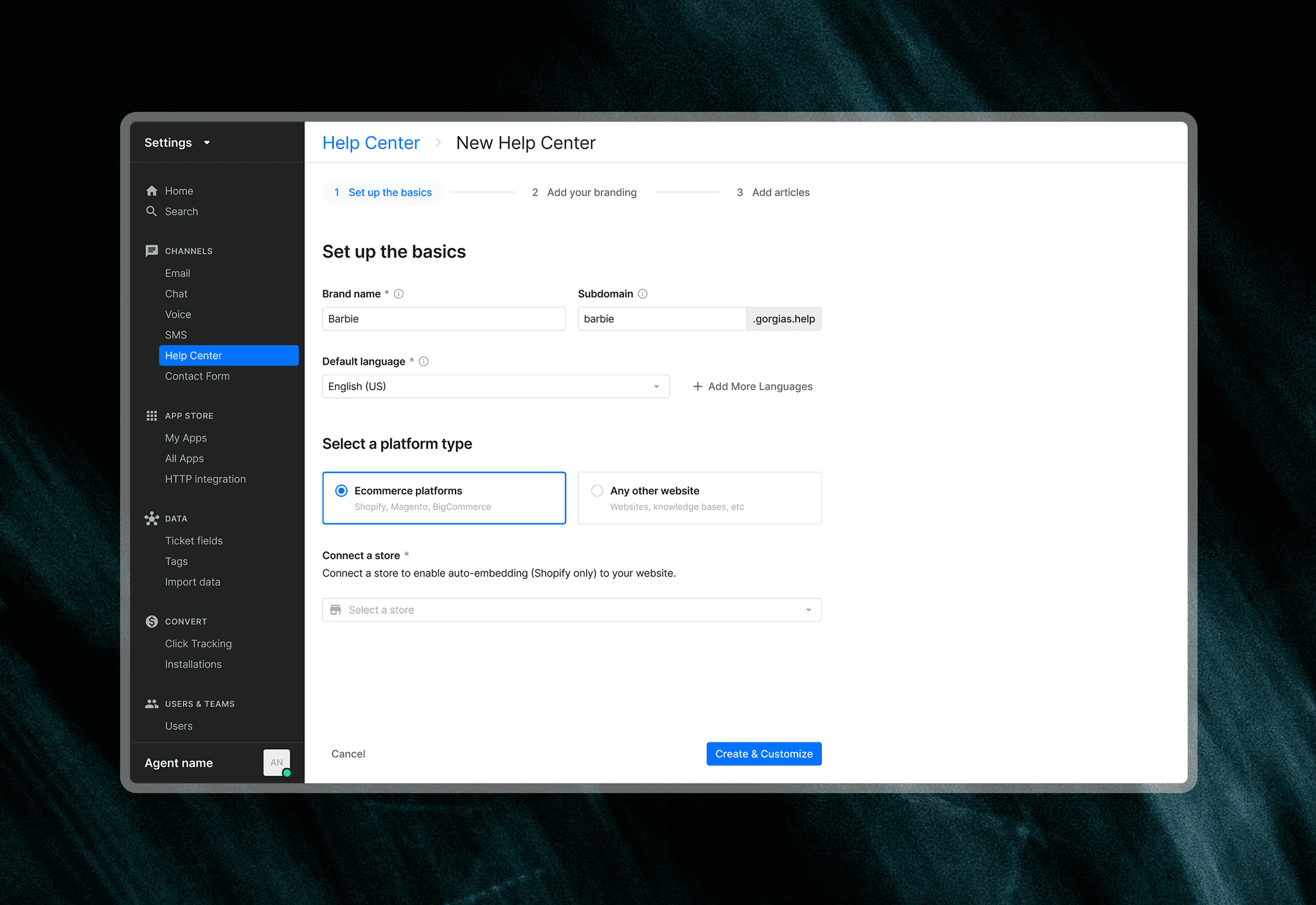
Core configuration
Basic setup essentials like subdomain and store connection, prefilled whenever possible to reduce friction.
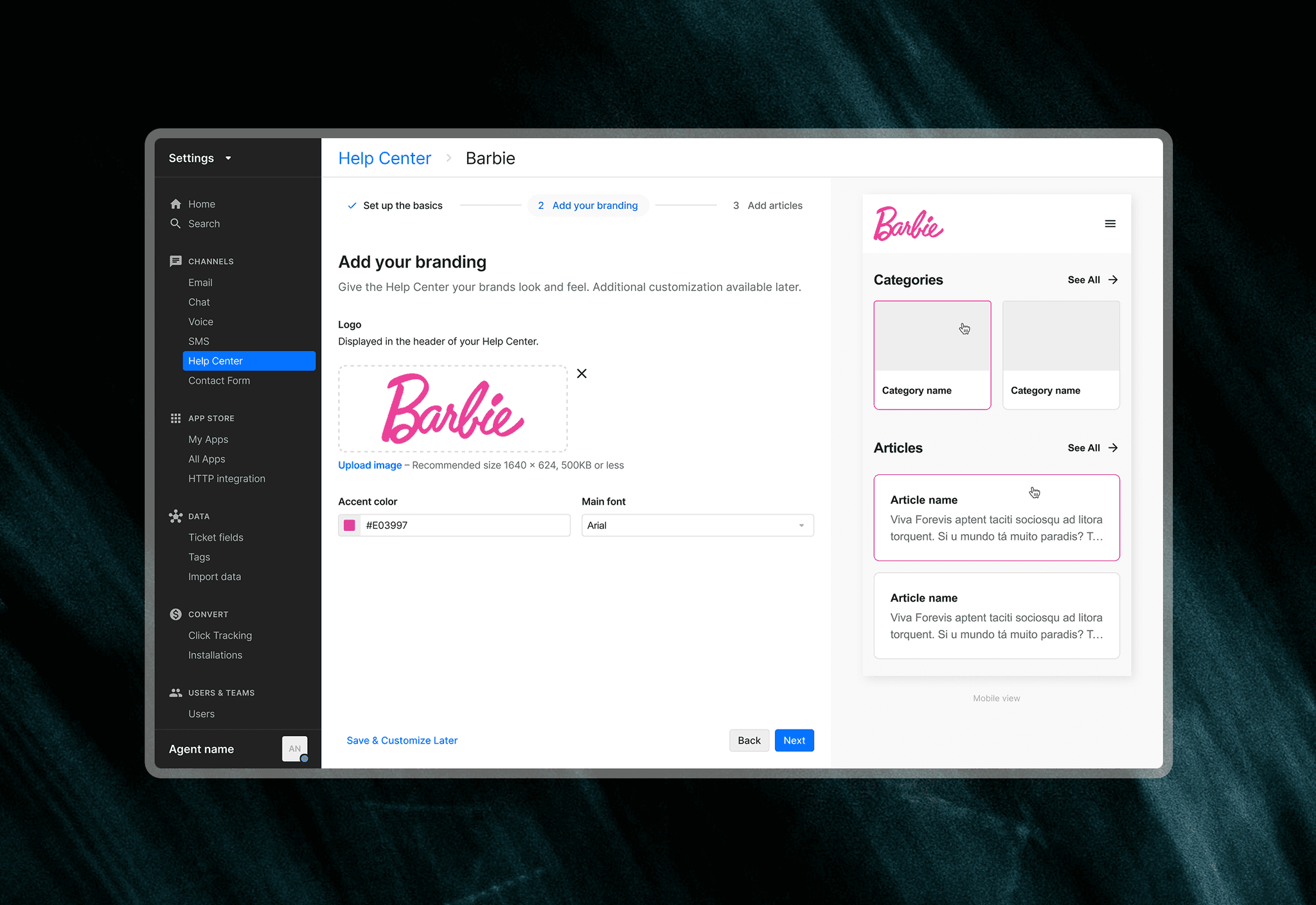
Brand alignment
Logo, color scheme, and typography setup ensures the Help Center reflects merchant brand identity — critical for building core customer trust.
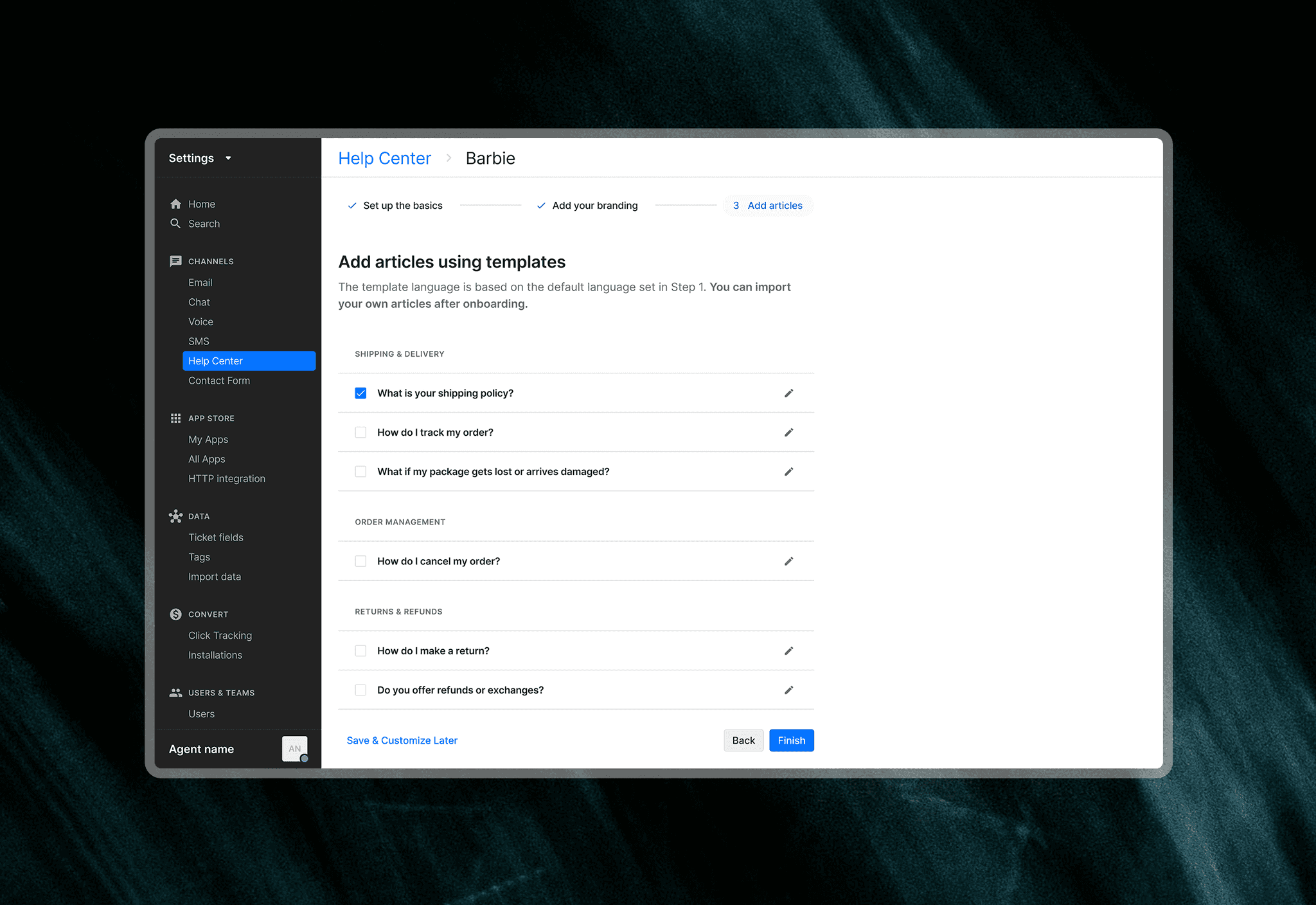
Fast content creation (optional)
Editable templates for the most-searched topics let merchants populate their Help Center fast (later replaced with AI articles).
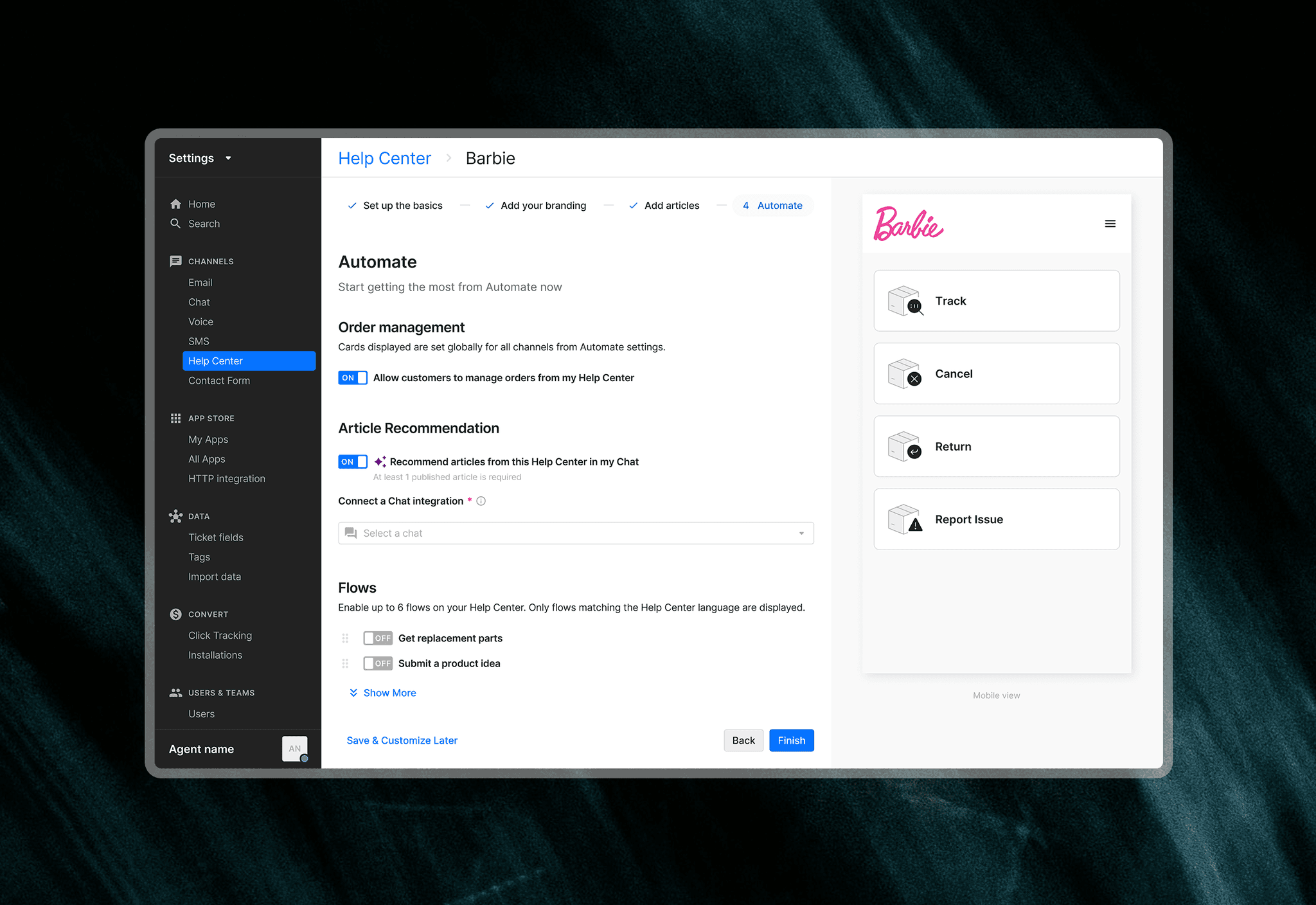
Unlock paid features
Merchants with a paid add-on see an additional step to turn on automation features, ensuring they leverage what they're paying for and build awareness.
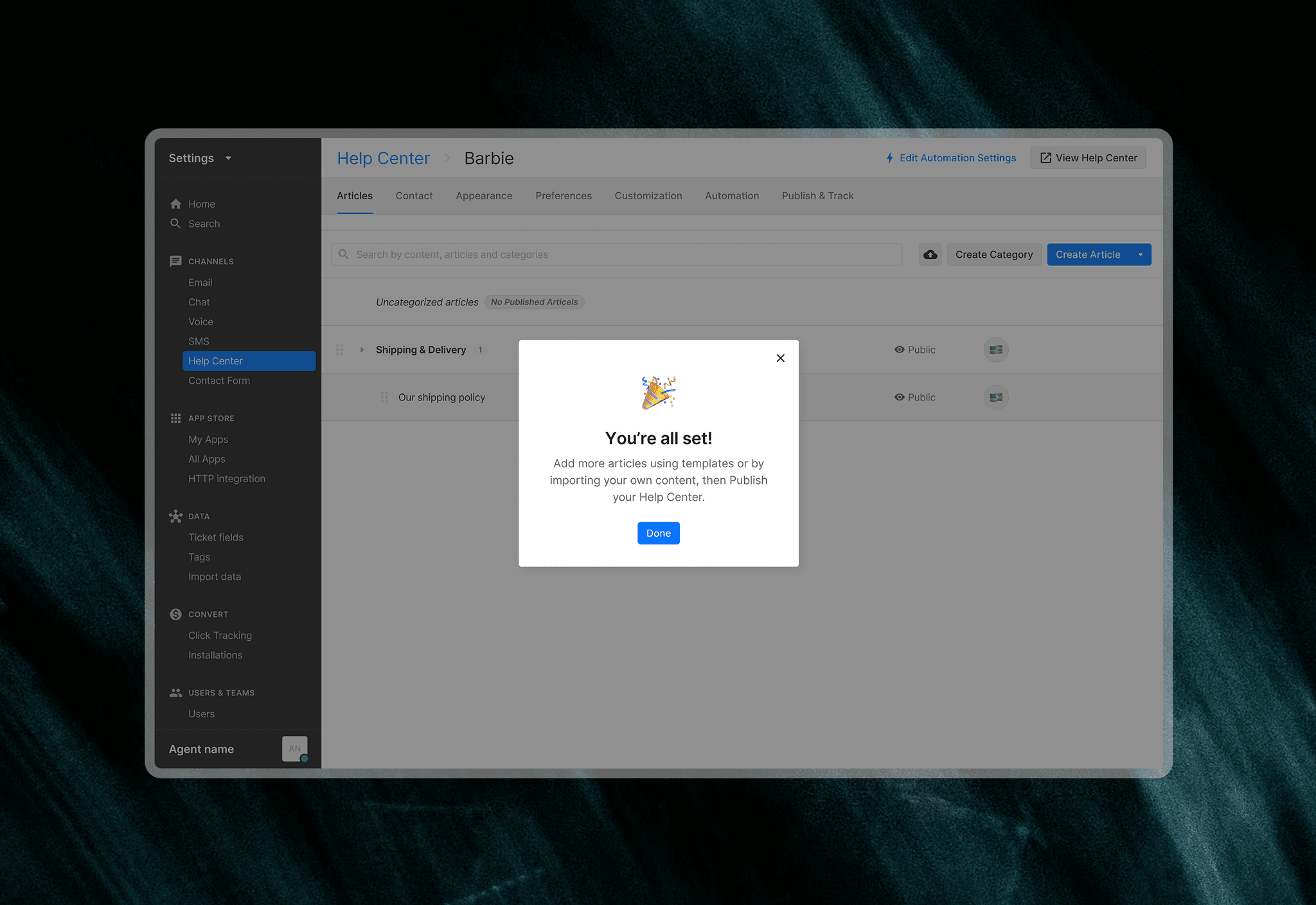
Nudge to publish
After setup, a contextual modal prompts merchants to either add more articles (create or import) or go live, depending on their current state.
RESULTS & IMPACT
This feature was released to all customers in February 2024.
15% increase
in Help Center adoption
5% increase
in merchants with >1 article
While constrained to the existing wizard pattern, I built on top of it and introduced a new preview component, which scaled to other areas of the product, such as AI Agent onboarding.
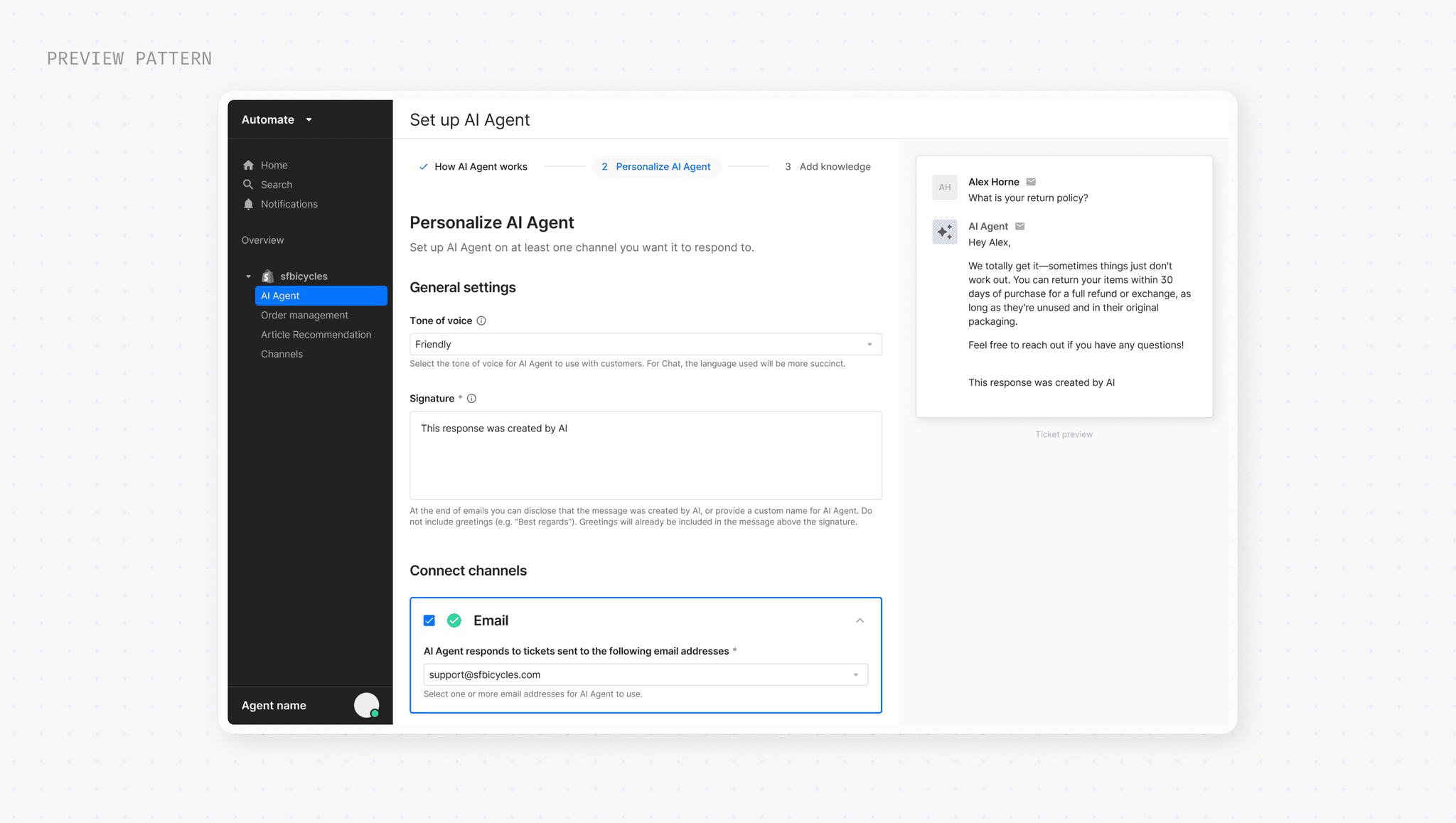
POST-RELEASE
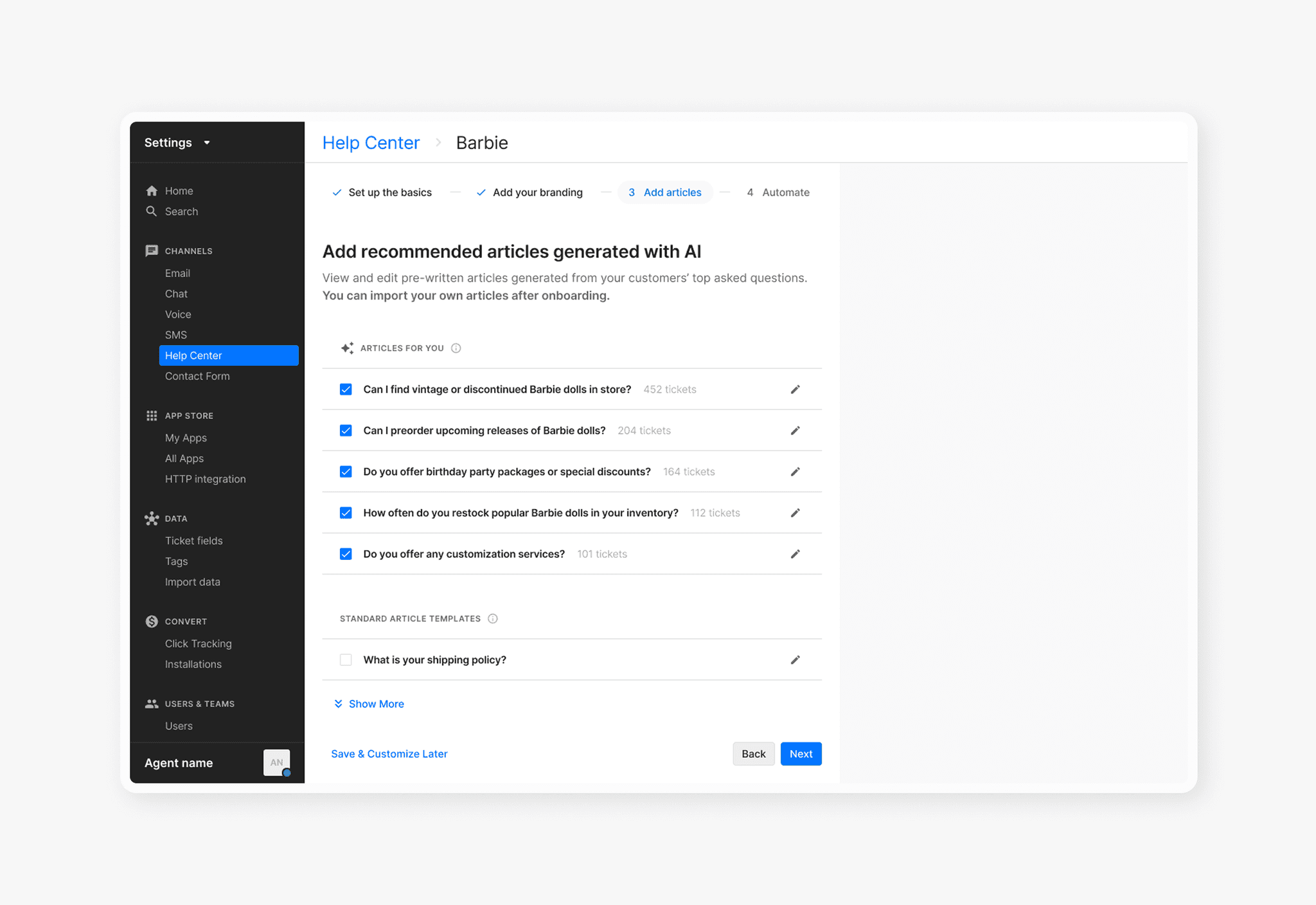
AI-generated articles
Following the release of an AI article library, generic templates were replaced with AI articles in onboarding.
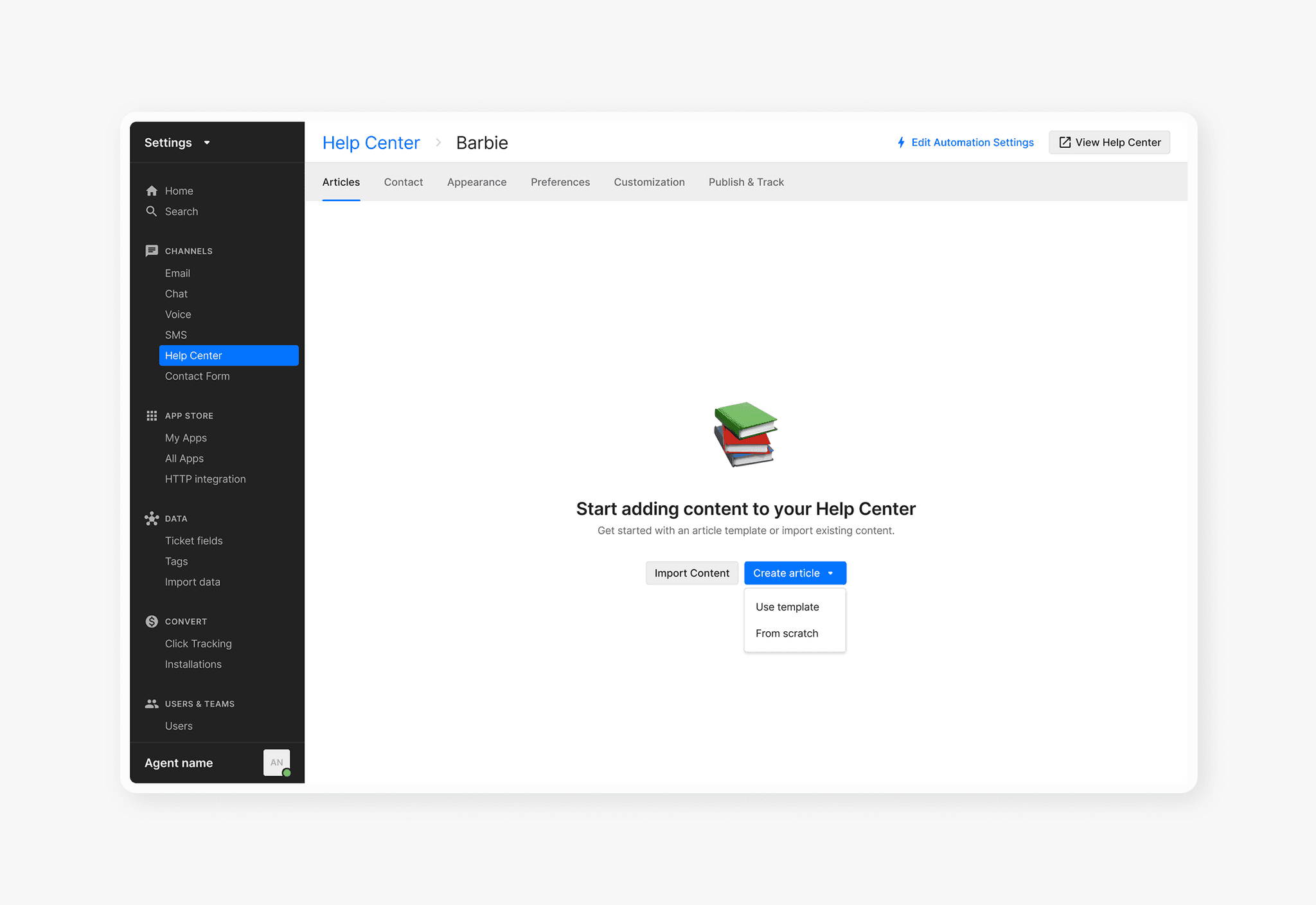
New article empty state
I added a small-effort improvement to bring the empty state up-to-date with the rest of the product.
LEARNINGS
Use data as a signal, not the solution
I treated data around setting usage as one source that validated the core needs for Help Center setup that we could then scale back when defining the scope, rather than using it as the deciding factor for direction.
Collaborate early and often
Working with engineers early surfaced edge cases when mapping out different user segments and helped flag technical constraints when connecting with features living outside of the wizard.
DATA & RESEARCH
Understanding current usage
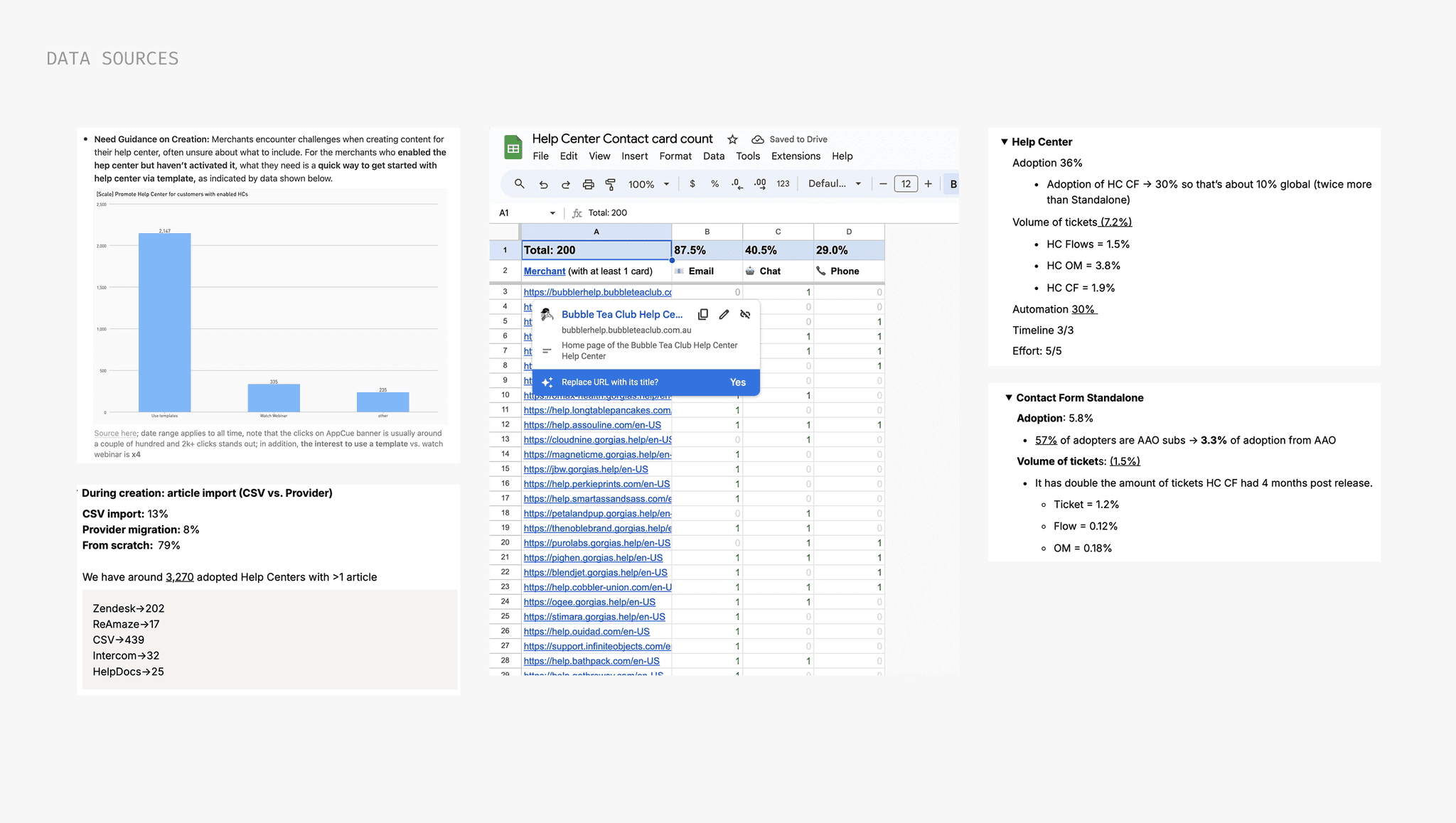
I dug into available data and past research to understand how merchants were actually setting up their Help Center today — which features did they configure beyond the required basics?
Article creation
Templates are the preferred starting point — only 13% import from another help desk.
Automation subscribers
64% don't have a Help Center, making them a clear growth opportunity.
Top use cases
Knowledge base, article recs in Chat, and standalone portal with Automate features.
NAVIGATING USE CASES
Mapping the experience for different segments
Since we were incorporating existing features, I mapped early what would be available per account type and the constraints each came with. I initially identified 4 separate flows — but quickly realized I was manufacturing complexity.
The steps were fundamentally the same regardless of the user's goal.
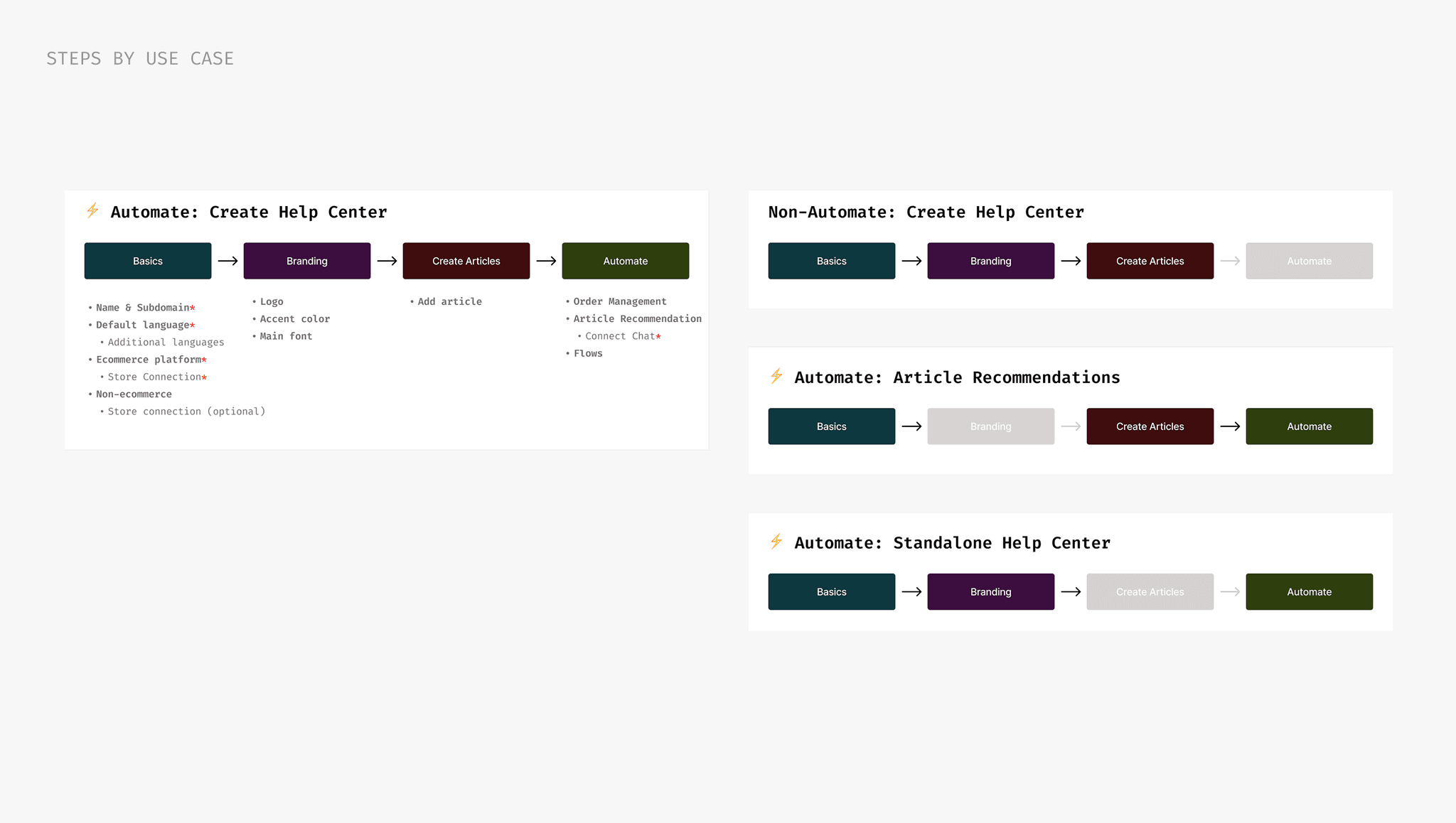
The real nuance was in the edge cases
Working closely with engineering, I noted when to surface or hide features and steps, and when a setting should be optional versus required. Some scenarios included:
Hiding the Automate step
The step is hidden if the merchant has none of the automation features already set up
Shopify vs. non-Shopify
Features unavailable to non-Shopify merchants were removed
Store to chat connection
Merchants with no chat connected to their store won't see any chat-to-help-center features
BALANCING CHOICE VS. CONTROL
Designing the article creation step
My initial instinct for article creation was to give merchants options: start from a template or import via CSV. While drafting different iterations, I realized I was giving them too many choices at a critical, and often overwhelming moment.
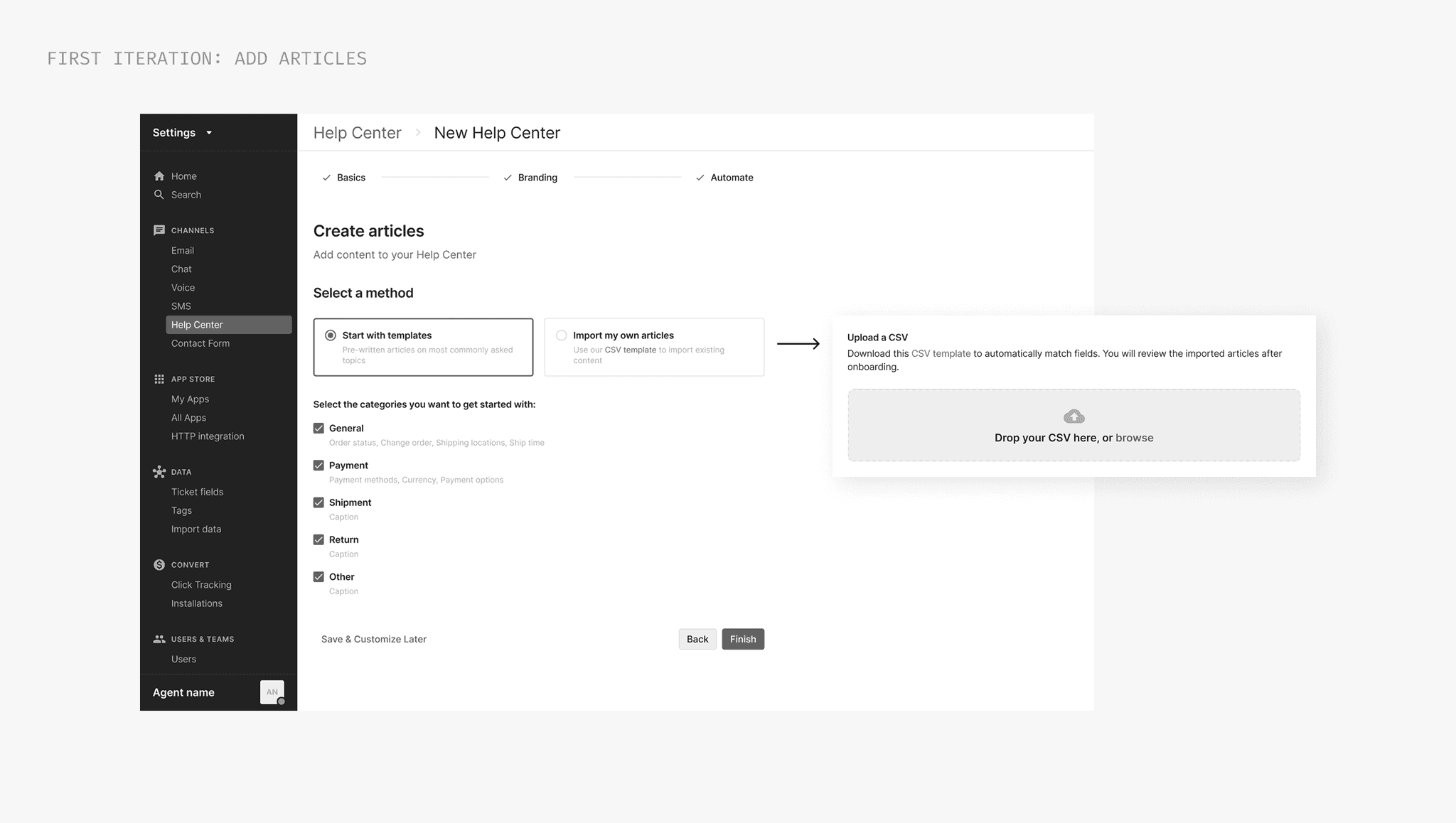
Article importing was more complex than it appeared
Digging into the import flow surfaced real friction: backend processing for files with 15+ articles introduced latency, and each article required individual review, category tagging, and cleanup of language and slugs. The risk of drop-off was high.
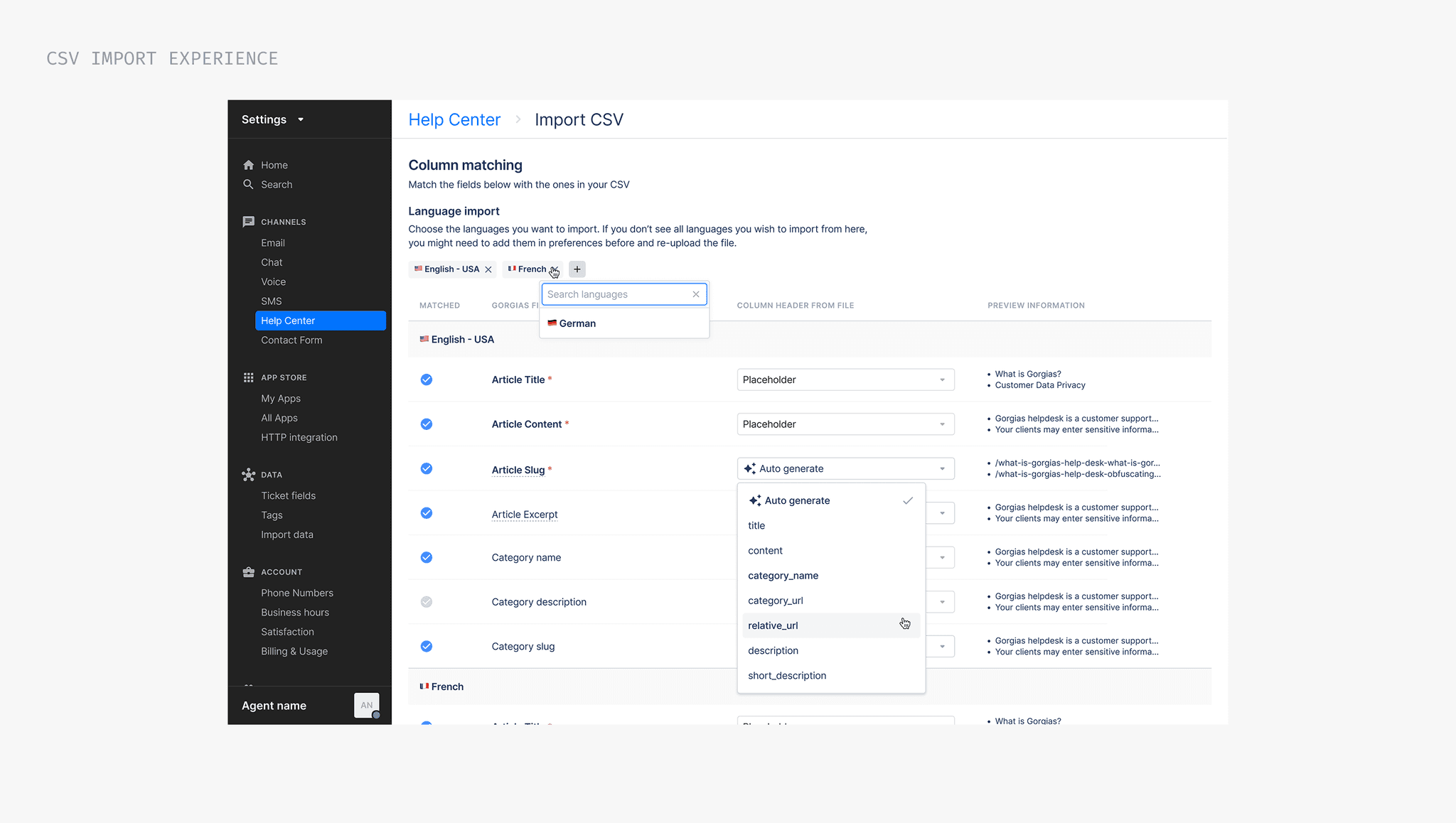
…so I simplified it and removed the choice entirely.
A survey of merchants who hadn't activated their Help Center found that 86% would use templates to get started. I partnered with content and support to identify and curate templates for the top 6 FAQs.
USABILITY TESTING
Validation through usability testing
Designs were taking shape, but I still had open questions I wasn't willing to leave to assumption, especially for Automate subscribers, who had the most to gain and the most complexity to navigate.
Could merchants get through the 3-step flow without friction?
Would the setup feel complete enough to confidently go live?
Are merchants comfortable adding articles during onboarding?
50 merchants. 1 week. All async.
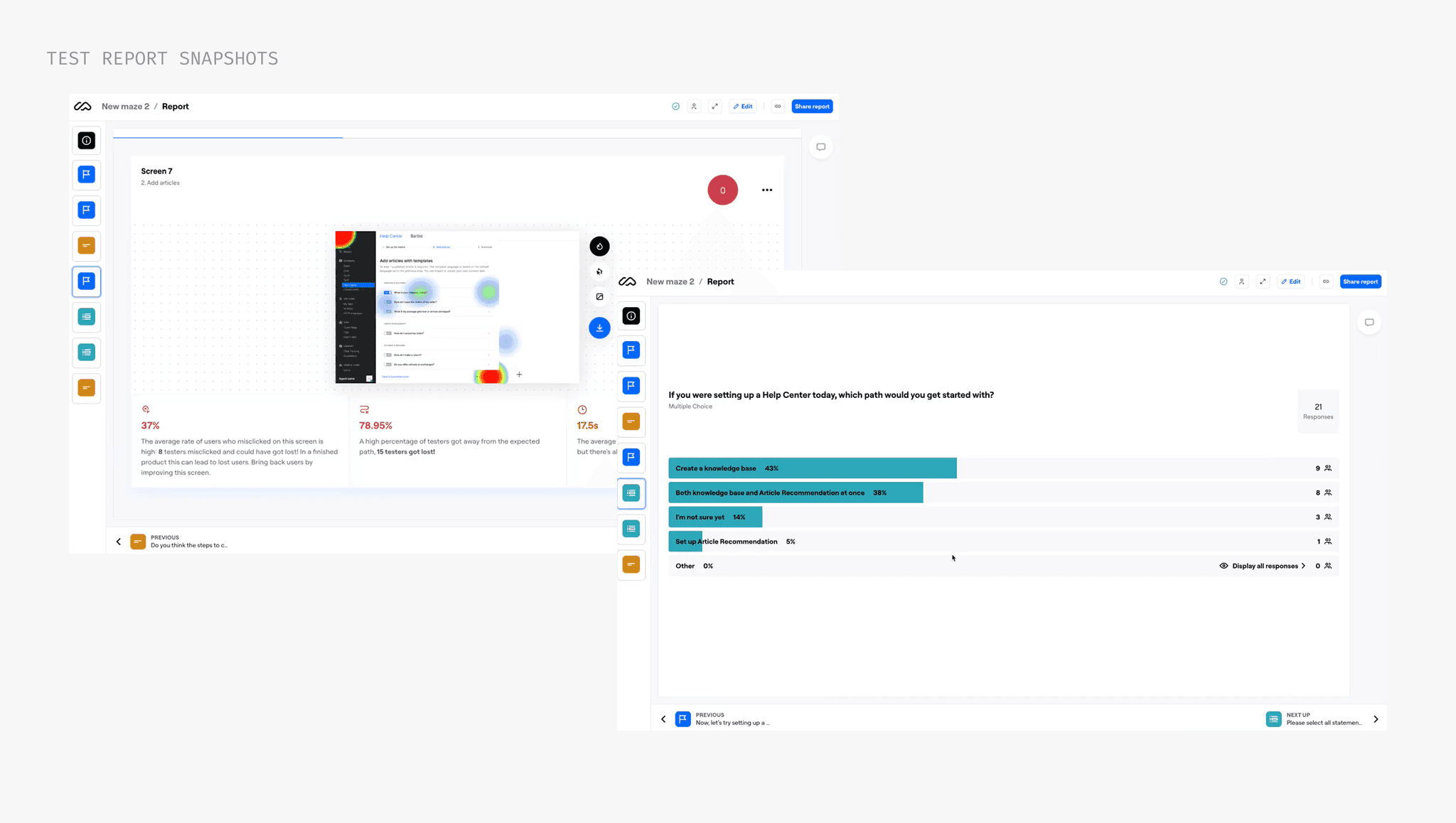
100%
found the onboarding flow sufficient to get started
95%
would set up a knowledge base if building a Help Center
57%
would be comfortable editing an article in onboarding
ITERATION
Where I was wrong, and what I improved
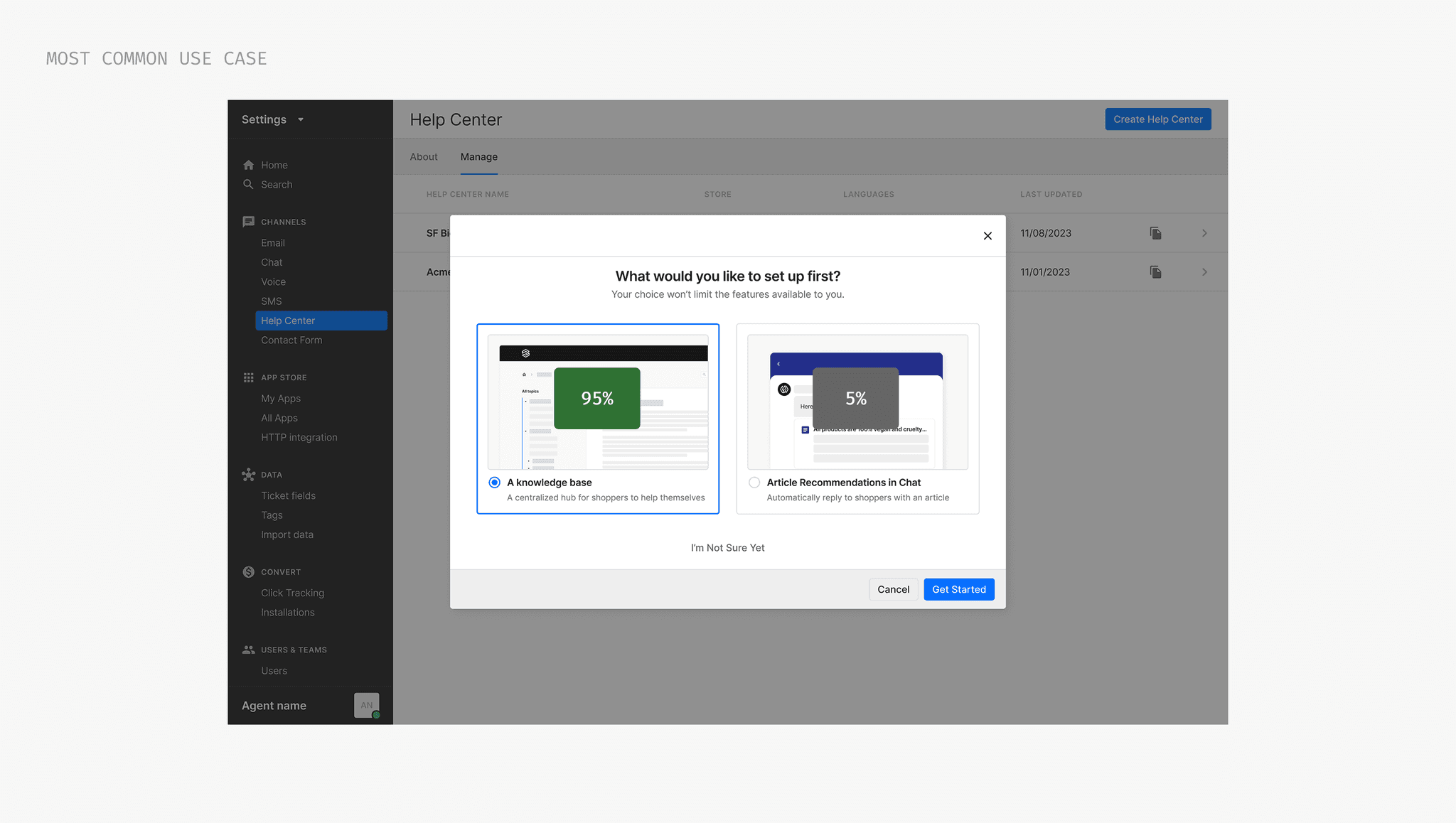
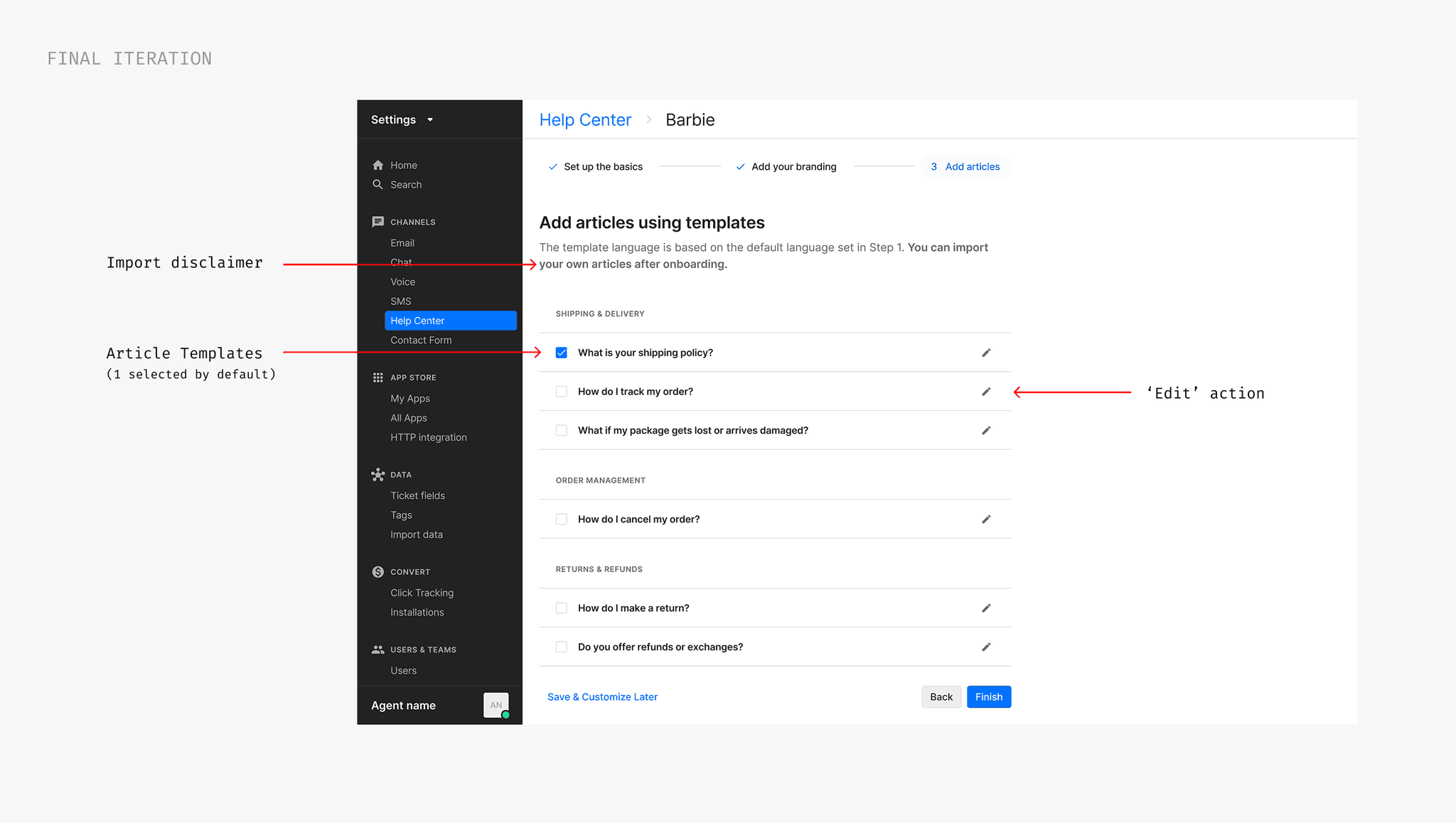
Removing the pre-onboarding modal
Testing showed that 95% of merchants would take the knowledge base route regardless of the options presented. The choice was adding friction before they'd even started, so I removed it entirely.
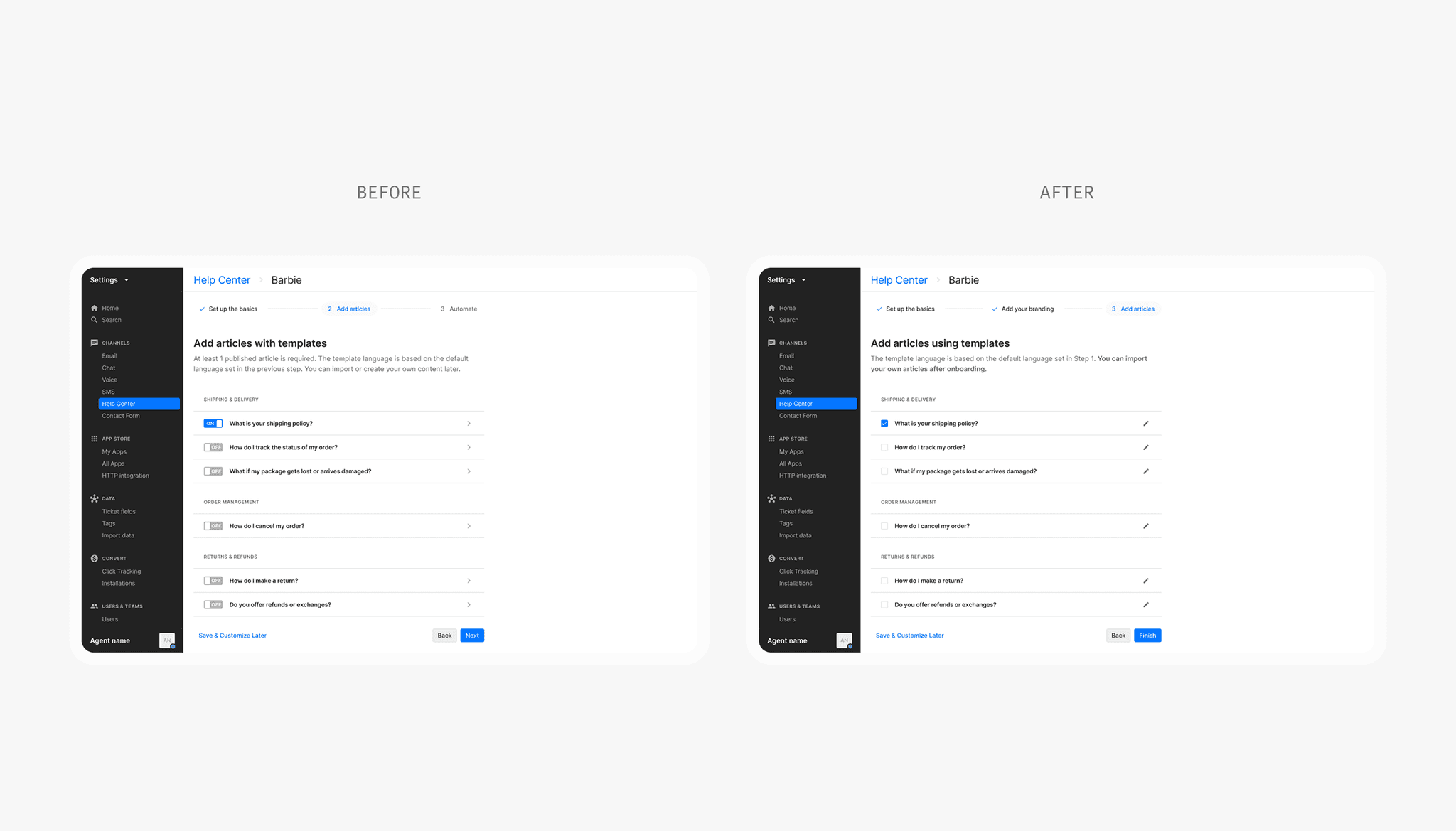
Improving the article step
Two small changes made a big difference. I replaced the toggle with a checkbox; selecting a template is a one-time choice, not a persistent setting. And I swapped the chevron for an edit icon, which made the action explicit and kept merchants in the flow instead of feeling like they'd navigated away.