GROWTH / GORGIAS • 2024
Generating AI articles for knowledge building
This project highlights leading user testing to drive direction & iteration and cross-collaboration to elevate feature discovery.
ROLE
Product Designer
TIMELINE
January - March 2024
COLLABORATORS
Lenaig L., Product Manager
3 Engineers
Machine Learning, Growth
If you've ever shopped online, you've probably relied on a Help Center at some point to find answers about store policies or product details.
Behind the scenes, a lone support agent or lean team spends countless hours creating, updating, and organizing all that content.
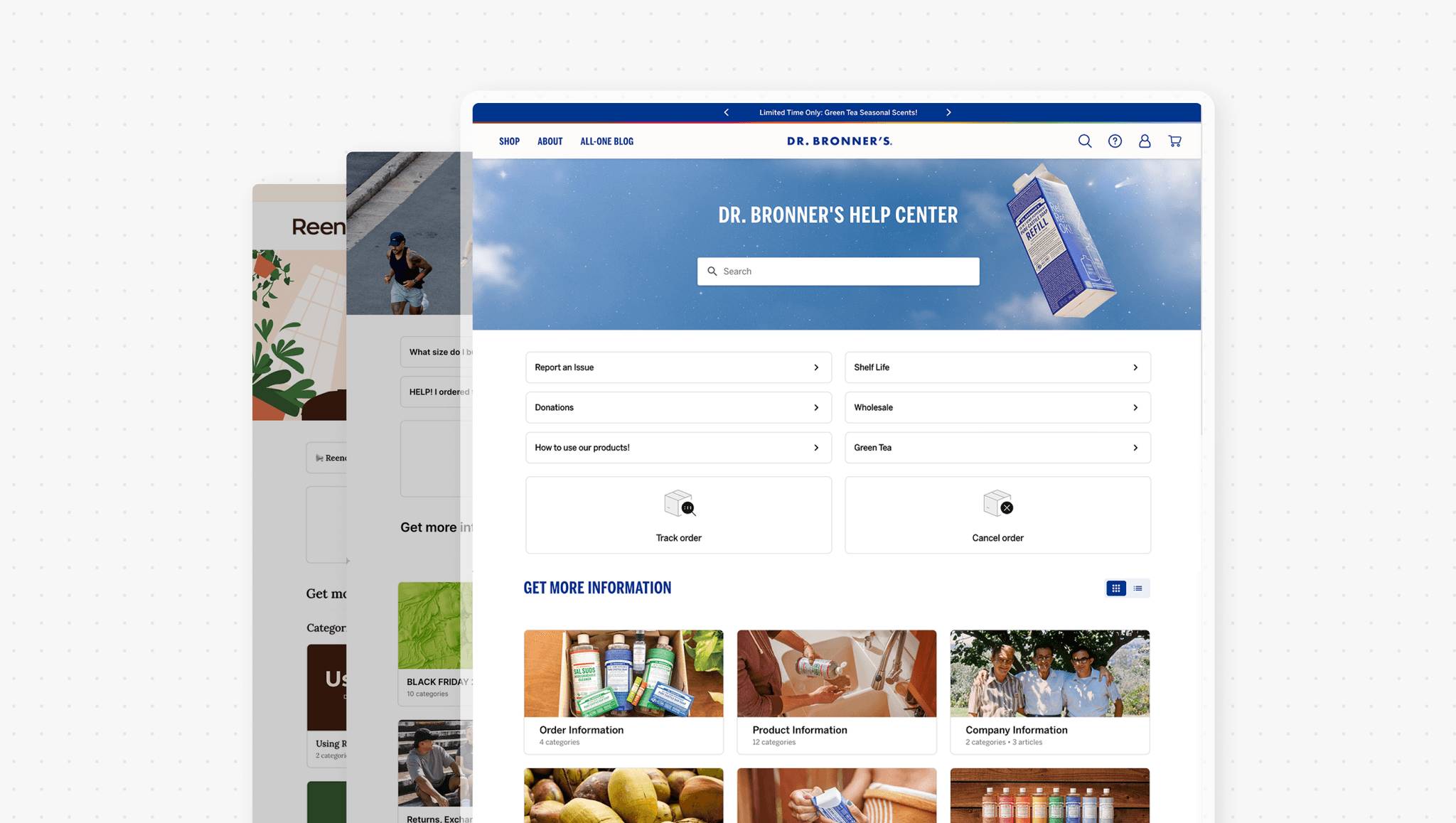
Those articles make self-service possible—but they're also the biggest barrier to building and managing a Help Center in the first place.
They don't know where to start
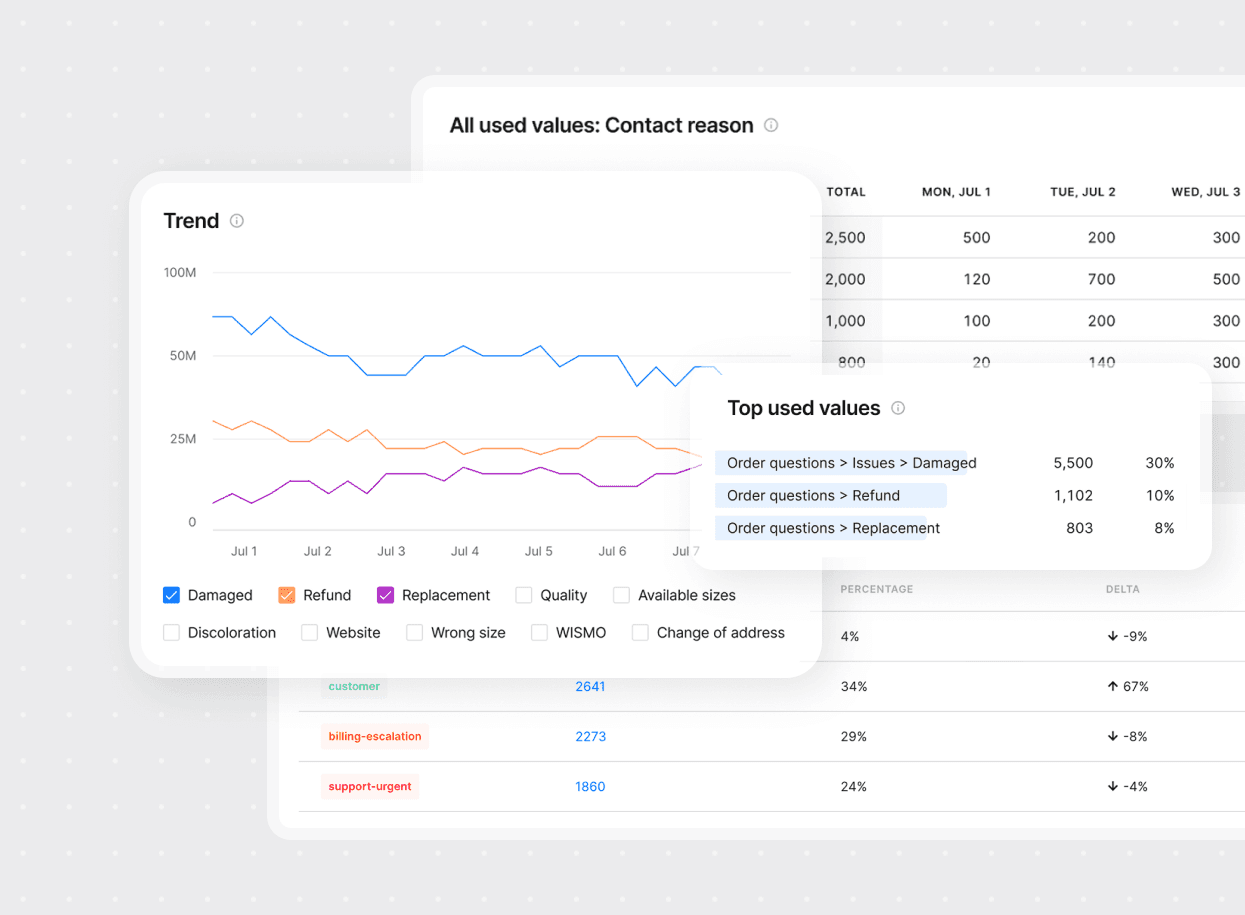
Support tickets and analytics reveal what customers actually need help with, but merchants lack the people resources to track patterns and translate them into articles.
THE SOLUTION
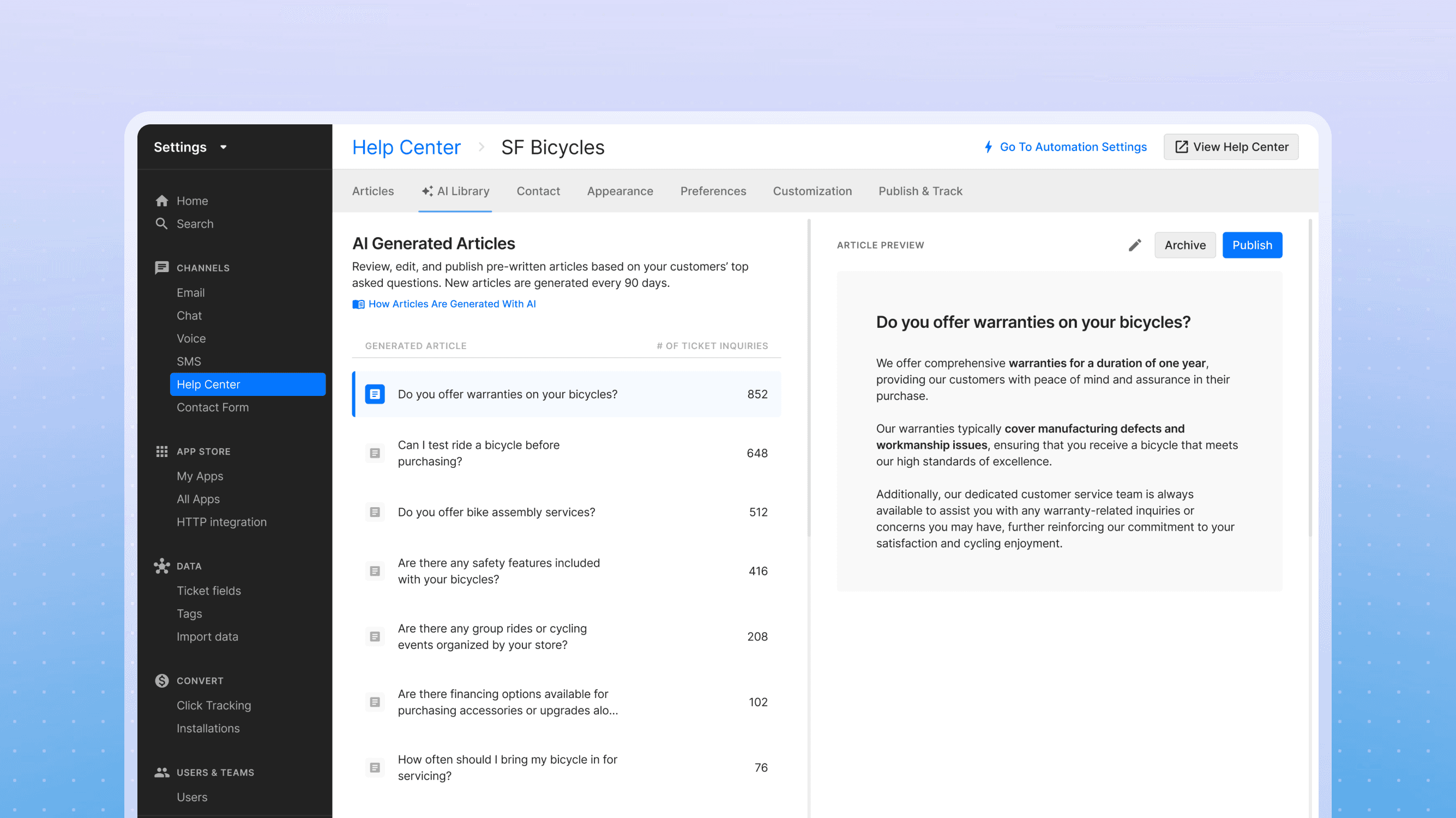
An AI-generated article library built from real support conversations
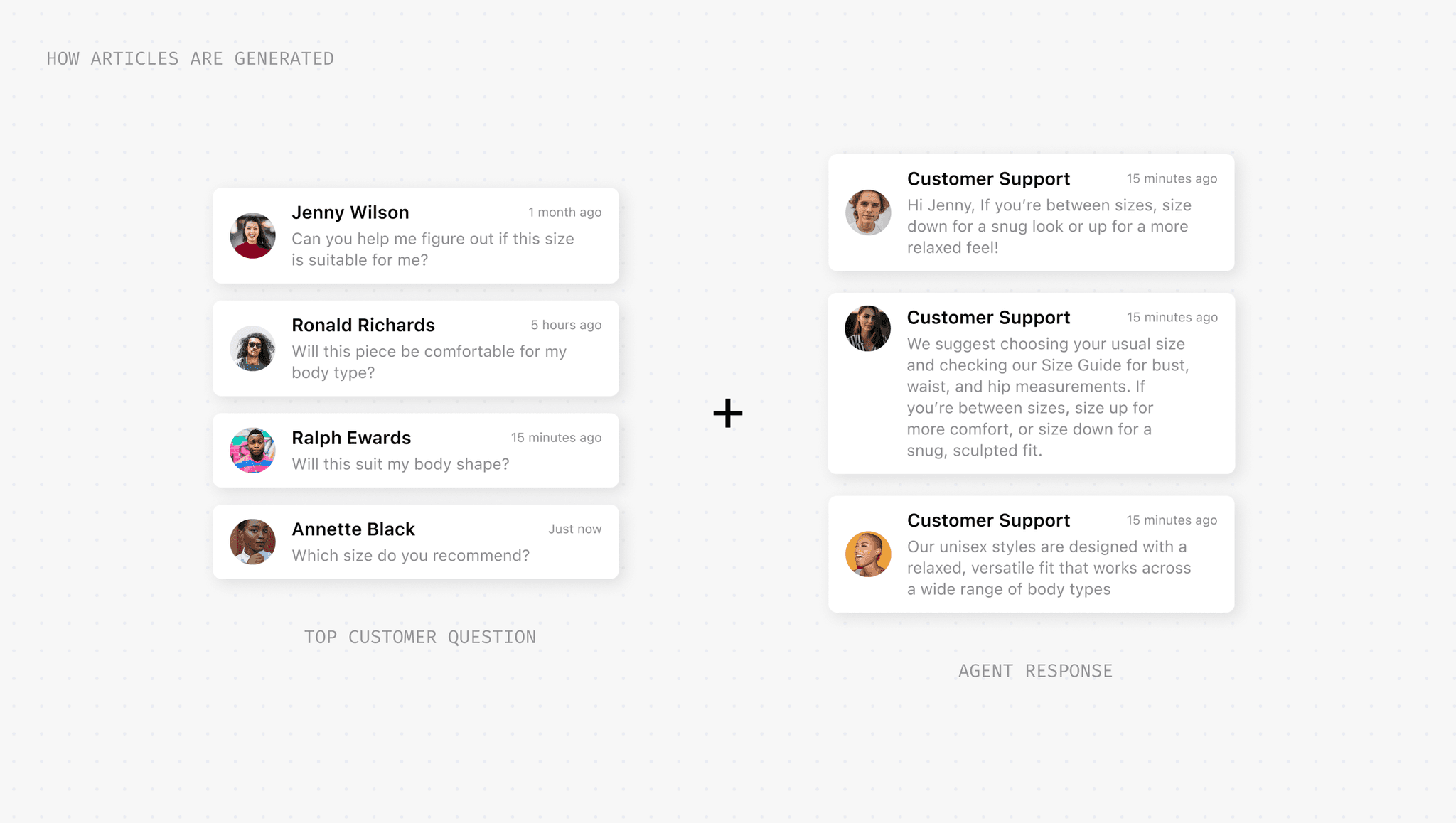
Articles are generated by analyzing a merchant's support history—identifying frequent questions and drafting content based on how their agents actually respond.
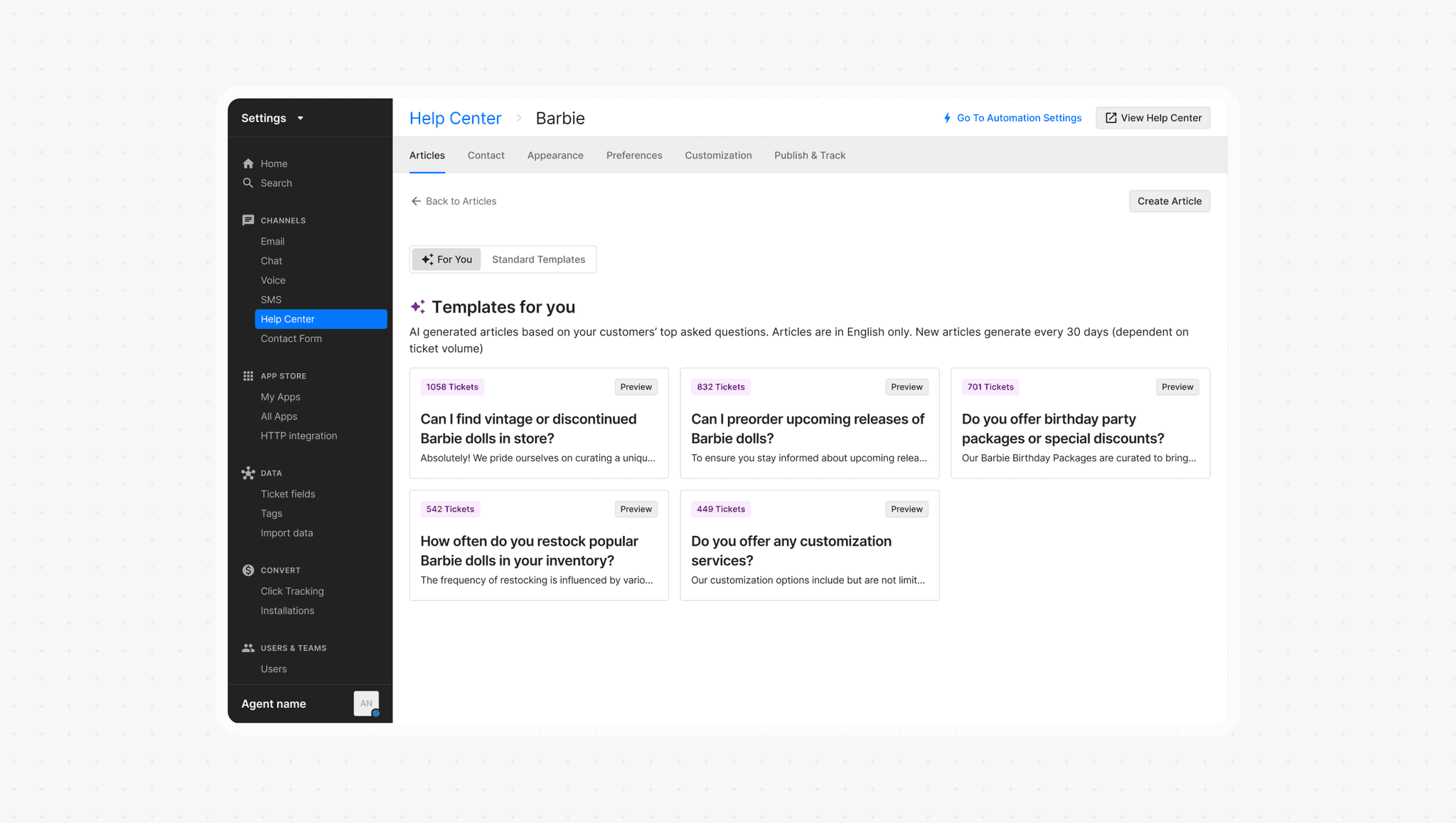
New AI Library tab
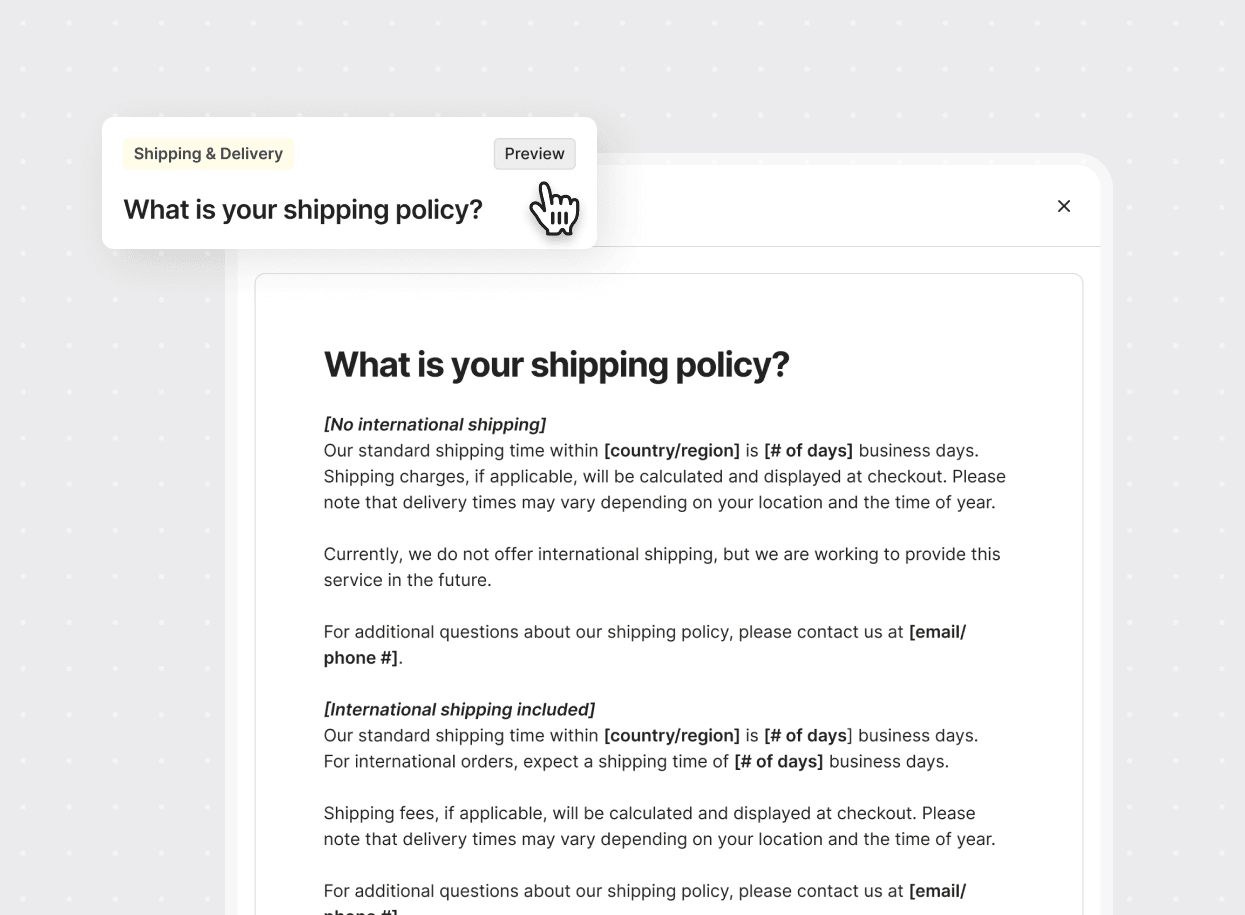
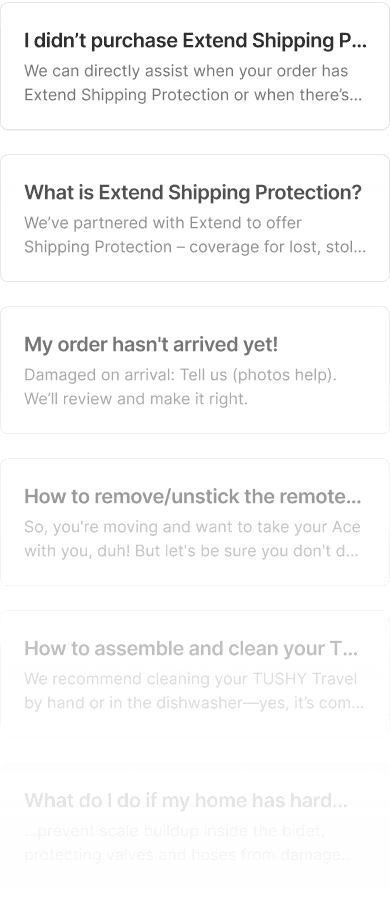
A new space in Help Center settings where merchants can access all their AI-generated articles. No more hunting through half-baked templates or starting from scratch.
View & edit the most impactful topics
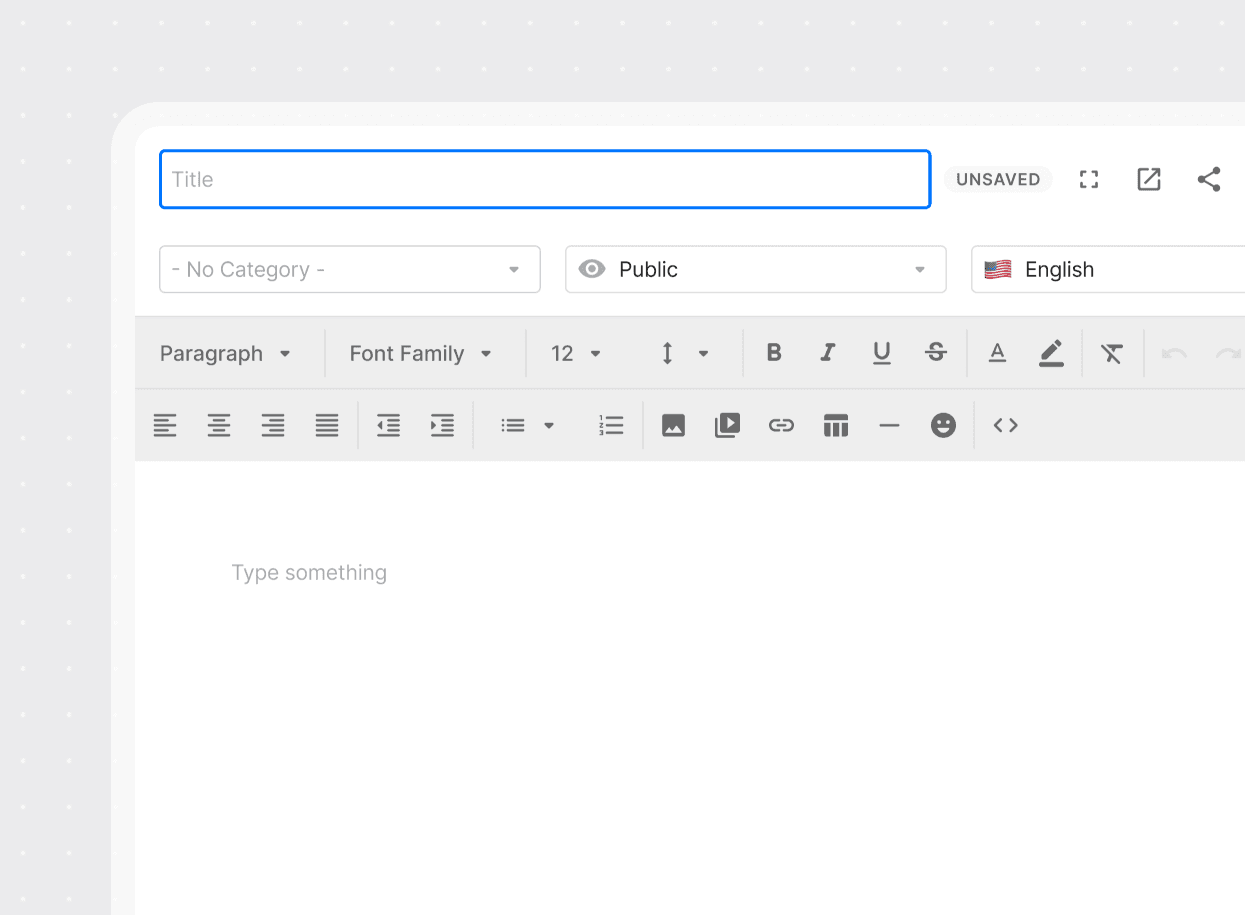
Agents can browse the full list of generated articles (highest tickets first) and edit them directly in the interface, turning hours of writing into minutes of refinement.
Quick actions
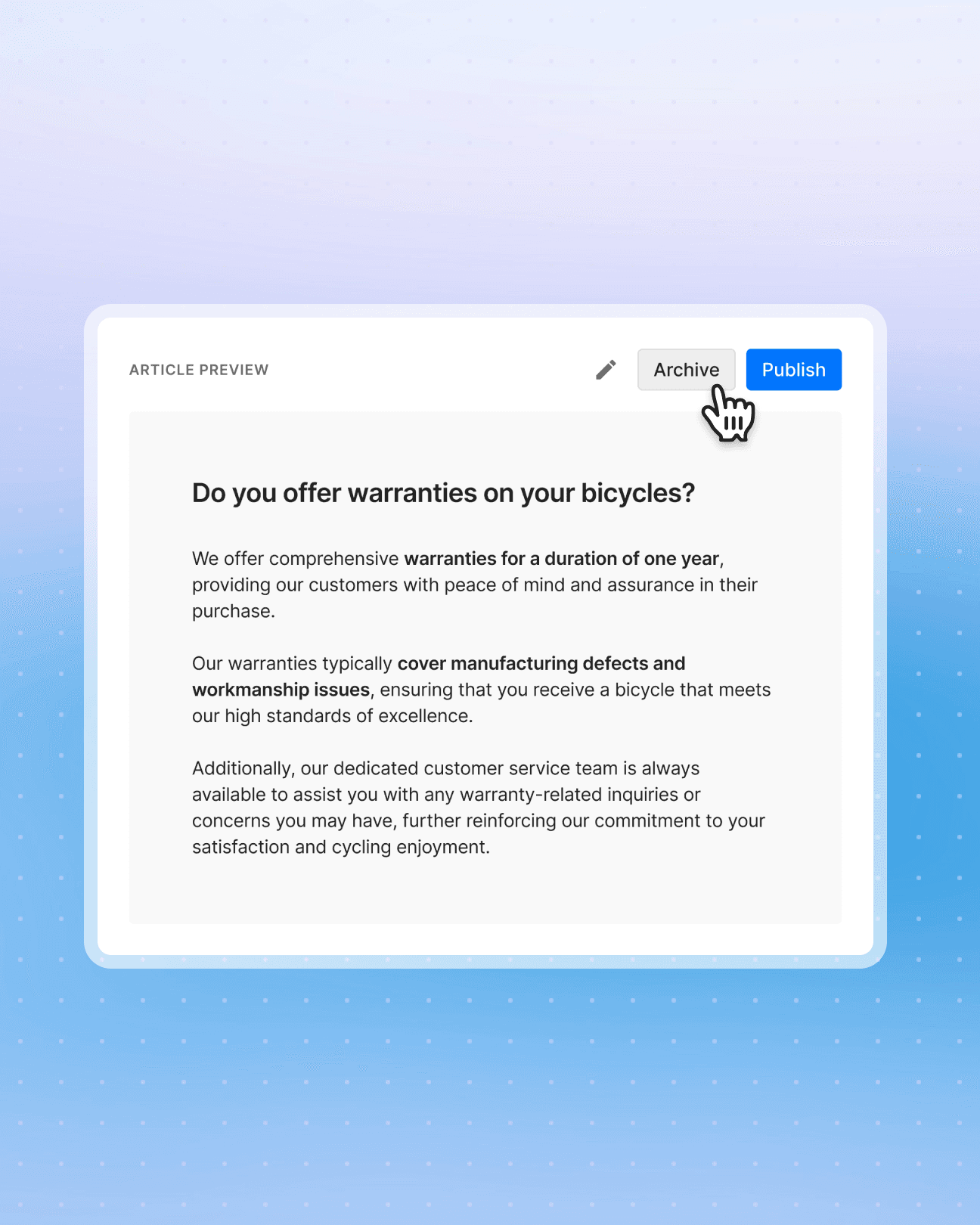
Archive topics that aren't suited for self-service and publish the rest with a single click.
Smarter onboarding
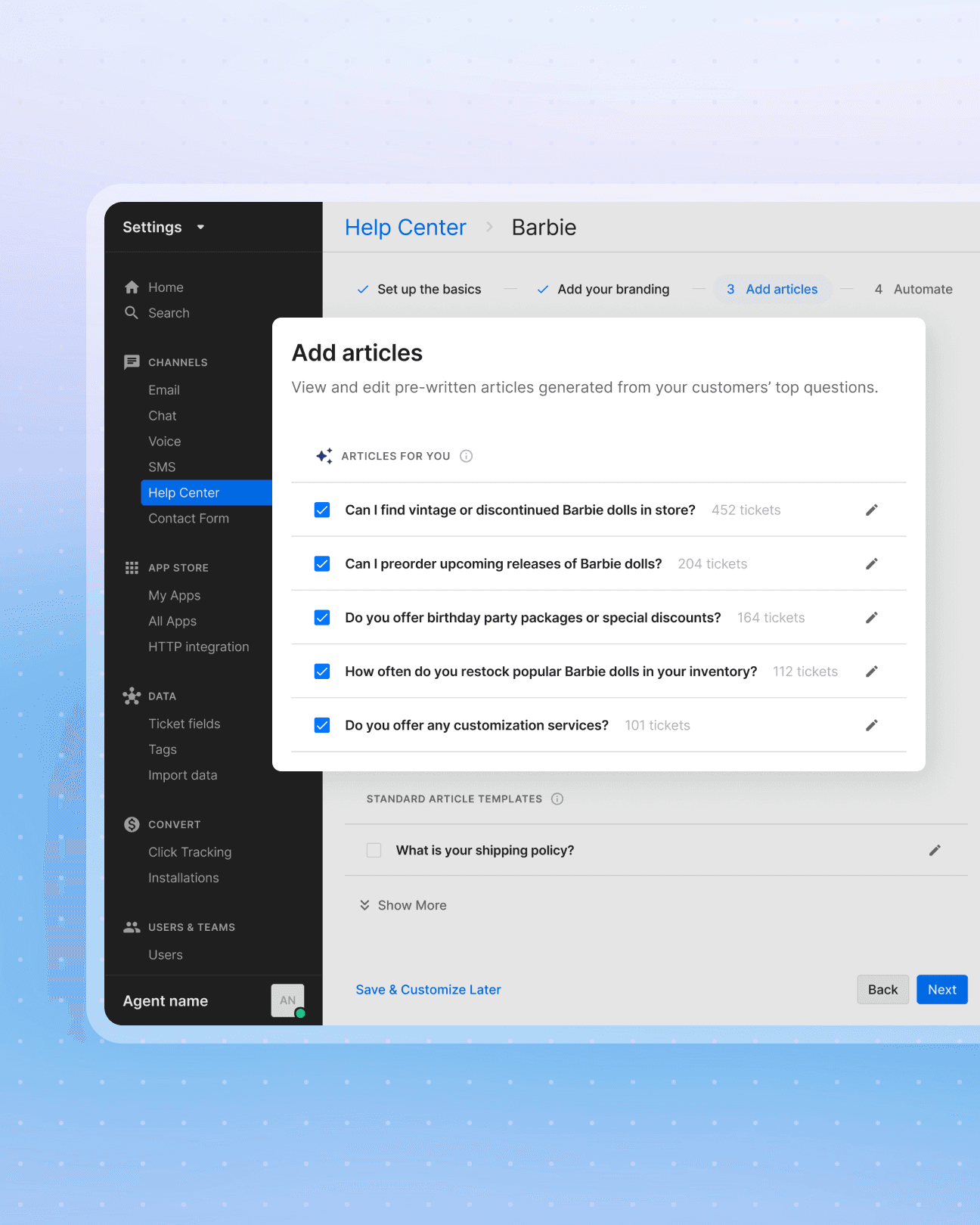
Instead of generic templates, the onboarding flow now suggests merchants' top 5 AI articles.
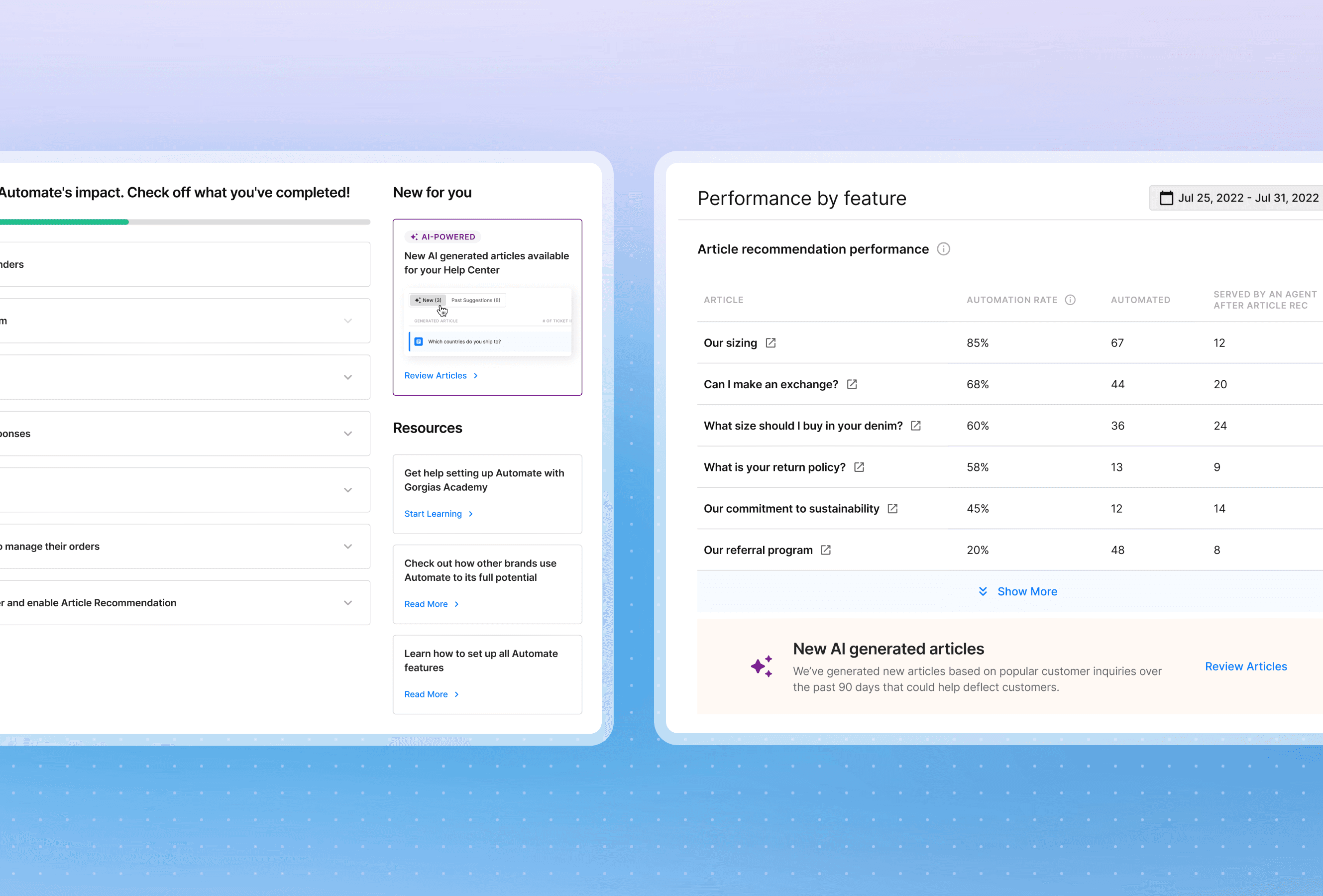
Proactive nudges outside settings
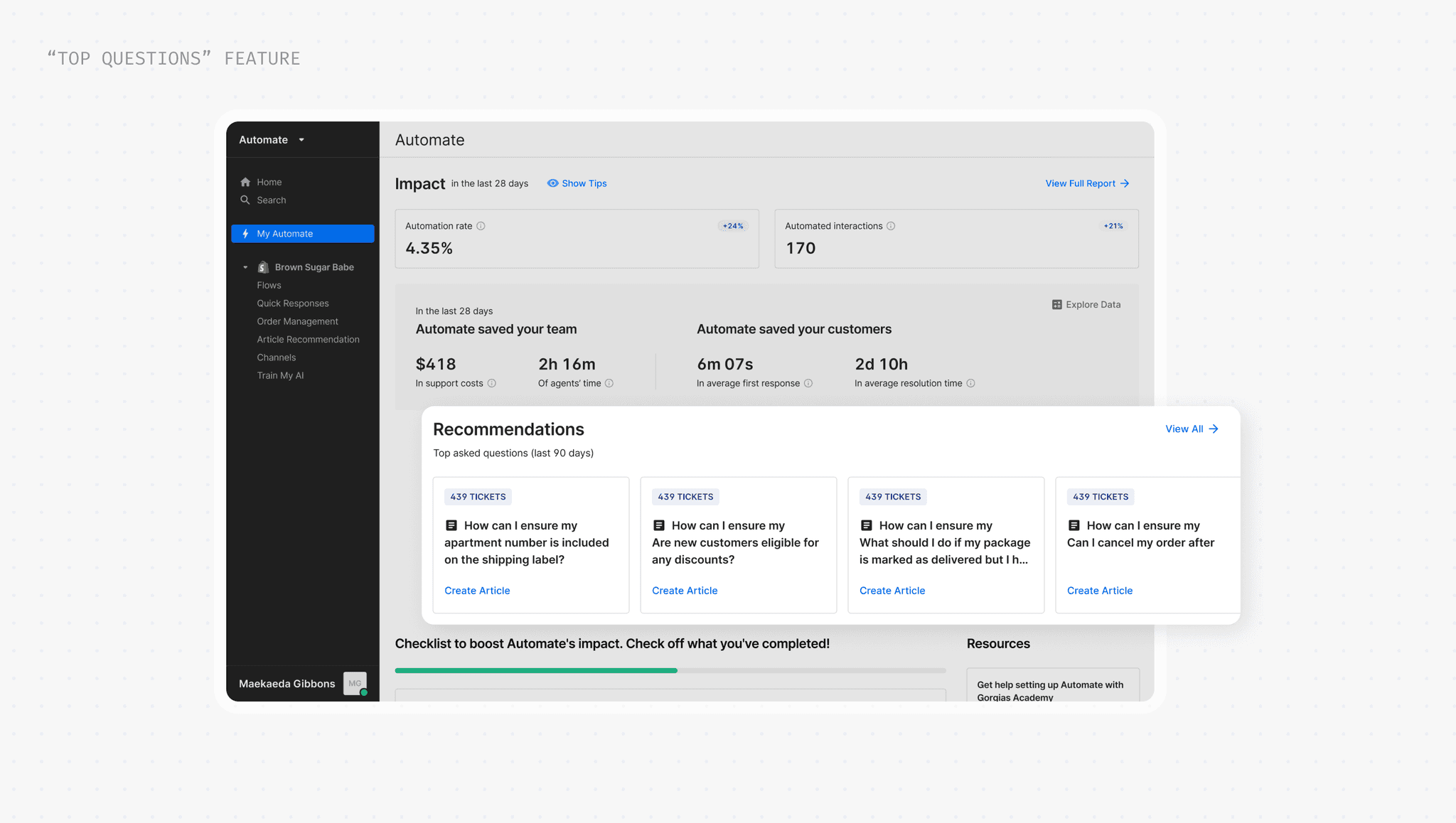
Since merchants infrequently manage their Help Center, we surface new AI articles in high-traffic areas like their analytics, homepage, automation dashboard, and via email.
RESULTS & IMPACT
The library was fully released in April 2024.
AI articles became a key step for AI Agent knowledge and optimization, while also enabling customer success teams to onboard customers faster.
5% increase
in Automate merchants with ≥ 10 articles
Building on the AI model
Post-launch, I extended the AI functionality to generate help articles into new features and surfaces of the product, expanding the functionality without any additional model work to push for adoption.
THE ACTIVATION ISSUE
Creating 1 article = 67% more likely to go live
Through customer interviews, we identified the core friction: getting started felt overwhelming. But our data told a slightly different story: by creating just a single article, the likelihood of going live jumps to 67%. This became our north star:
How do we get merchants to the first article with minimal effort?
How do we build a habit loop that keeps them building more content?
OPPORTUNITY
Using AI to eliminate the cold start problem
As LLMs gained traction, I recognized we could leverage support tickets to identify frequently asked questions and auto-generate articles on those topics. No additional permissions needed, no third-party tools.
The models limitations were reasonable given we'd serve the majority:
I made sure they were explicit in the product and in our help docs.
English only
Articles would only be generated in English for the initial release.
100+ tickets required
A minimum ticket volume was needed to generate content.
Single-store only
Support for multi-store merchants came soon after this iteration!
THE CHALLENGE
Exploring different patterns to surface AI
The biggest challenge wasn't the technical piece, but figuring out how they should appear. I explored three approaches, each with different assumptions about agent behavior and tradeoffs between discoverability, control, and workflow integration.
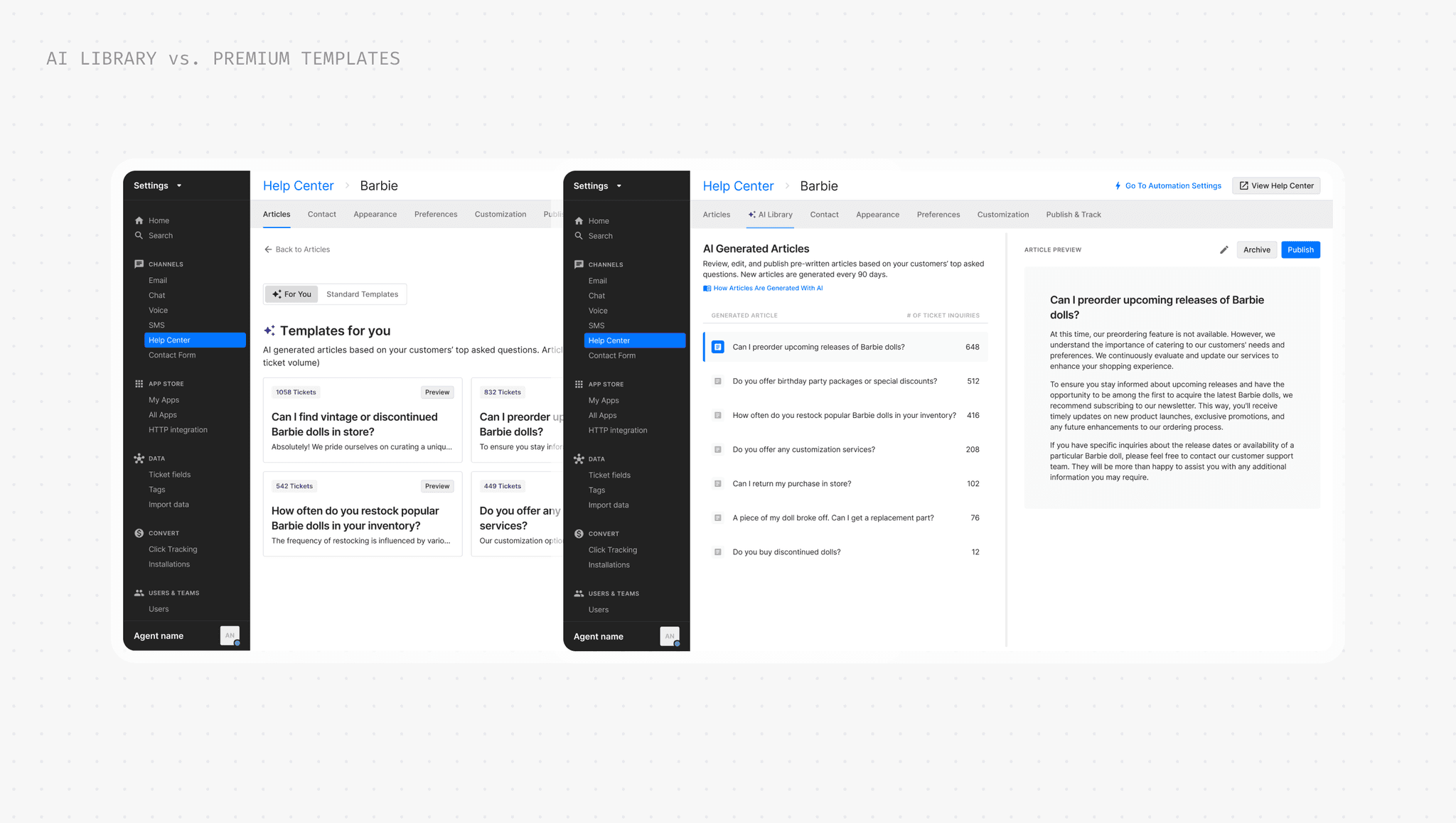
"Premium" templates
Merchants already understand templates as starting points. By positioning AI articles as premium templates, we lower the learning curve and leverage existing onboarding moments.
Tradeoff: Low discoverability if agents are not actively seeking new content
Dedicated AI Library
A separate AI library reduces clutter and allows merchants to focus entirely on reviewing AI suggestions using efficient browse-and-edit patterns. I reused a pattern from an existing feature that generated articles for Chat.
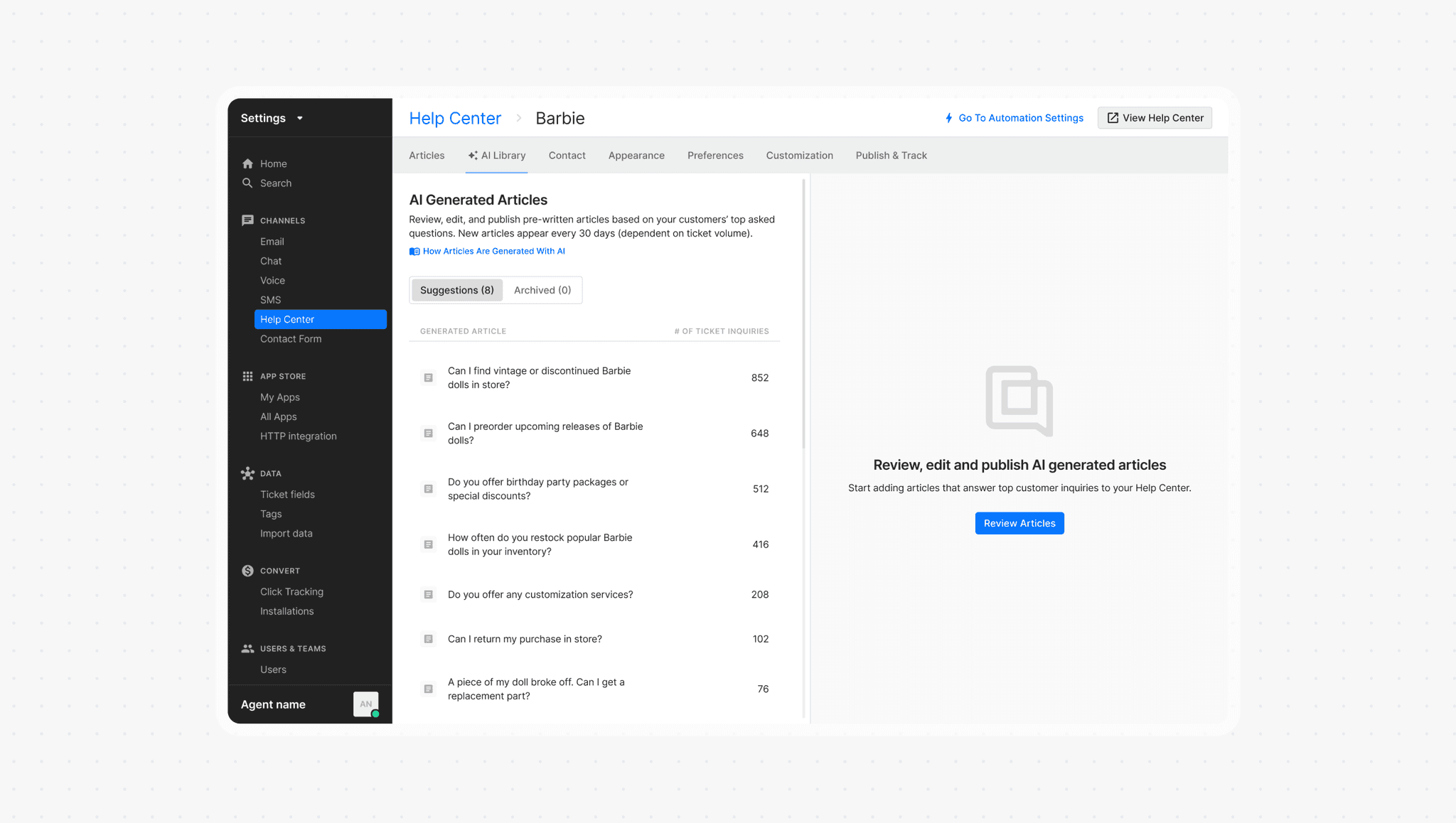
Tradeoff: Context-switching friction by separating AI content from main workflow
Auto-Draft Integration
Auto-adding AI articles as drafts removes the need for merchants to seek them out, keeping everything in one place and reducing friction to adoption.
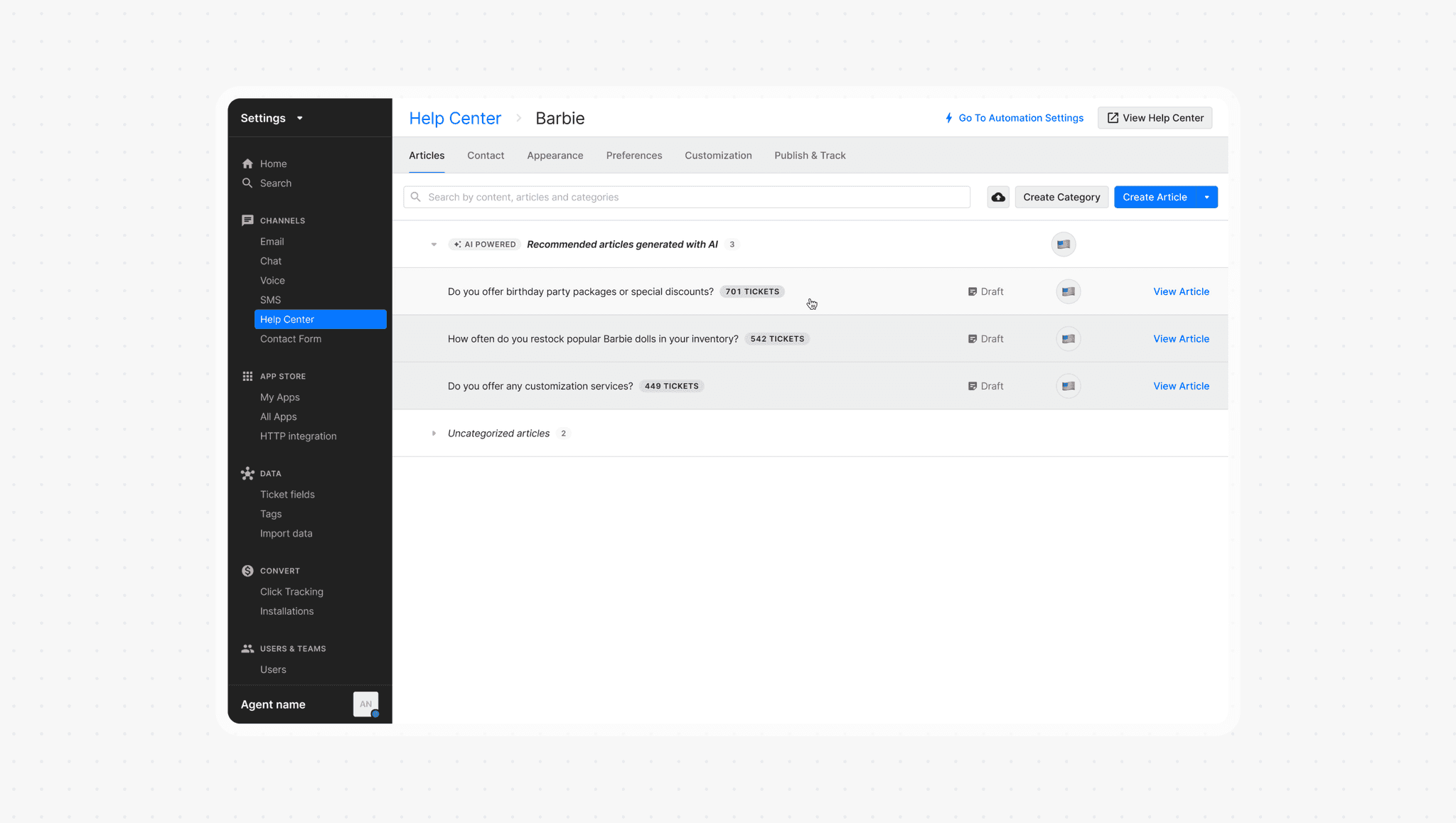
Tradeoff: Library clutter and decision fatigue by auto-generating too many drafts
USABILITY TESTING
Unknowns and conflicting opinions
Product reviews revealed sharp disagreement. Some stakeholders wanted seamless integration, others preferred dedicated space, and some worried about clutter. Each direction had merit, but we were debating hypotheses.
So I put the designs in front of agents to understand:
Discovery & workflow fit
Which one aligns with how agents expect to find and work with AI-generated articles?
Trust & adoption
How do agents differentiate AI from regular articles, and what's their comfort level publishing after edits?
Design validation
How do agents interact with the actions and UI? Is there enough feature education?
KEY INSIGHTS
Different tools, different moments
Merchants see templates as onboarding tools and AI as ongoing content partners, but choose AI over templates when available.
Dedicated space reduces friction
All agents preferred AI articles in a separate library—it's less effort, more intuitive, and the pattern feels familiar.
ITERATION
AI Library: Refining the details
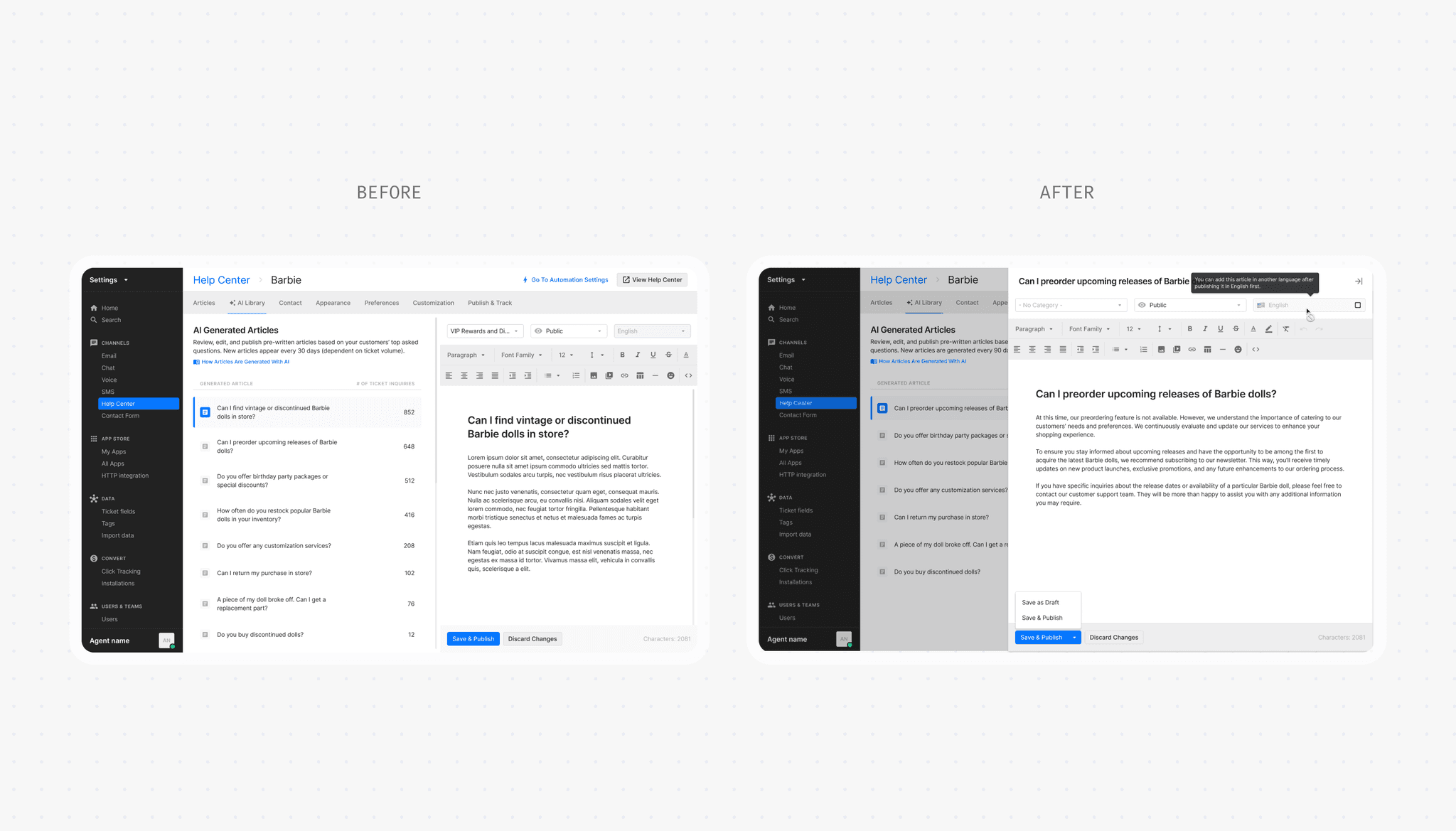
Testing revealed that simpler was often better. I removed unnecessary UI, defaulting to clarity over explanation.
Edit on intent, not by default
I moved from auto-edit mode to requiring merchants to click 'Edit', keeping the UI clean and avoiding the implication that AI content needs changes.
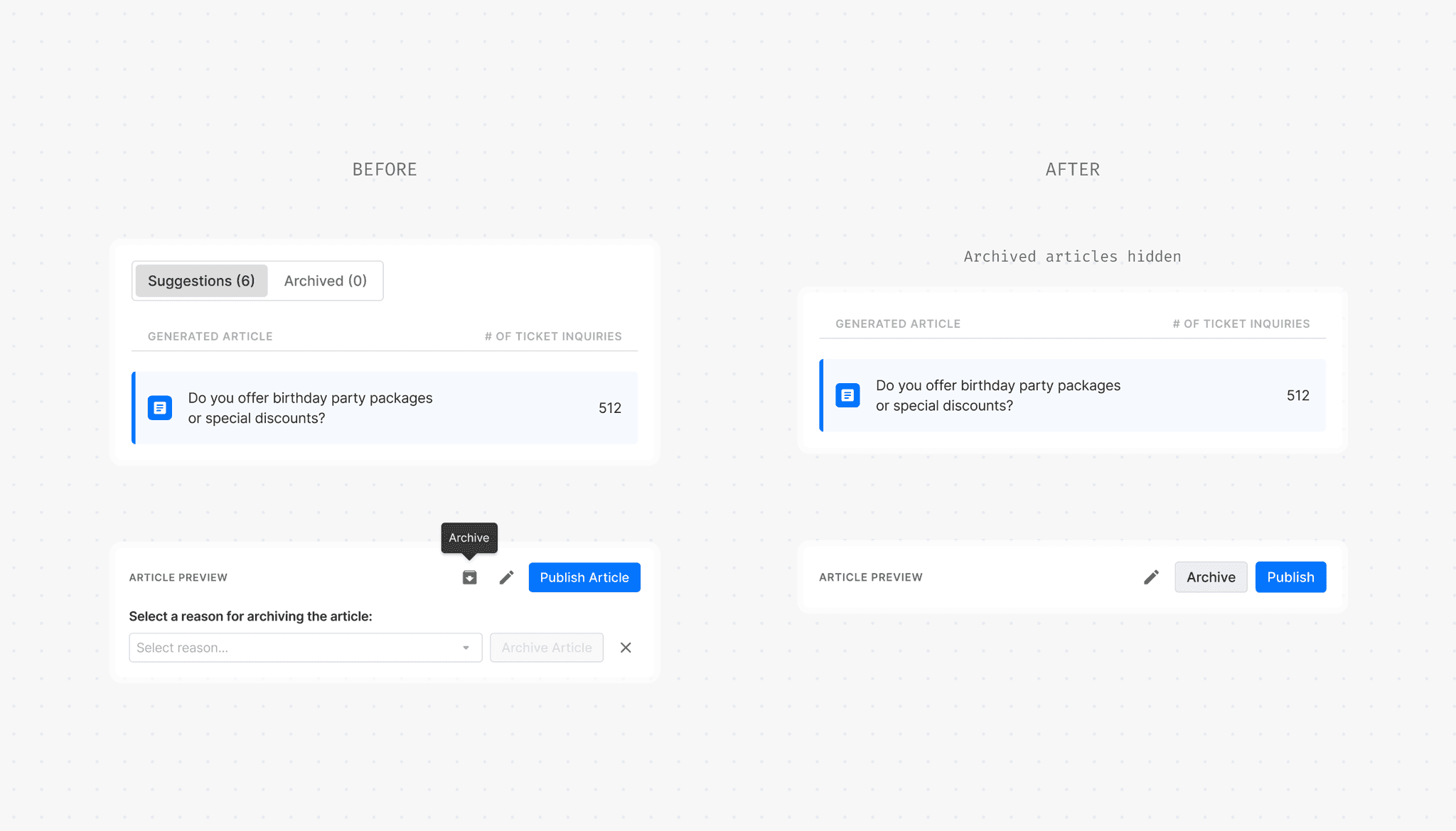
Simpler archiving
I replaced the archive icon with a text button for clarity and removed the archived articles from the front-end. Agents expressed that irrelevant articles were unlikely to be relevant in the future if resurfaced.
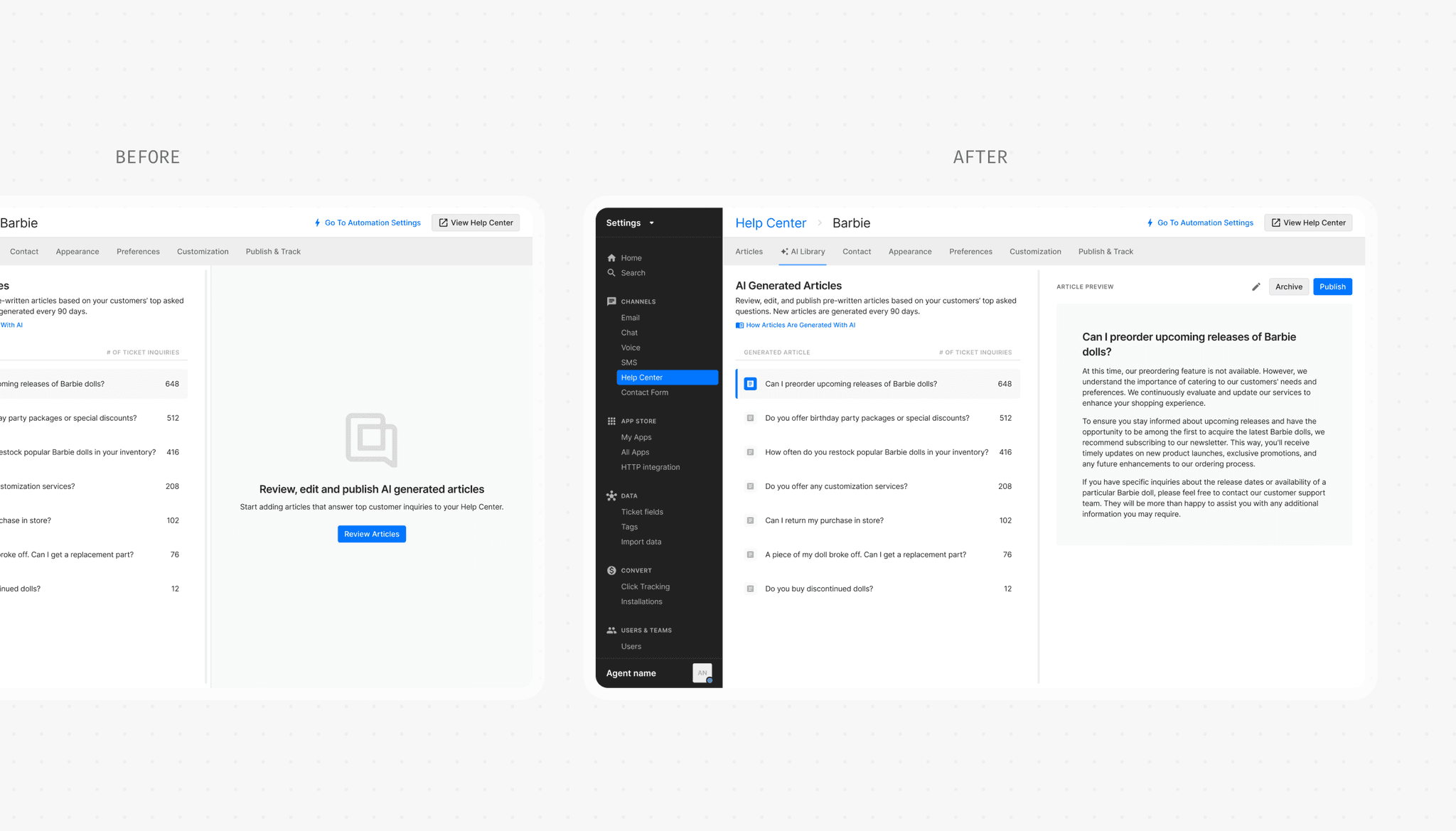
Preview over instructions
I replaced the educational empty state with a preview of the first article. Agents didn't need guidance to understand how to use the library and could instead start reviewing as soon as they land on the page.
FEATURE DISCOVERY
Persistent visibility in early onboarding
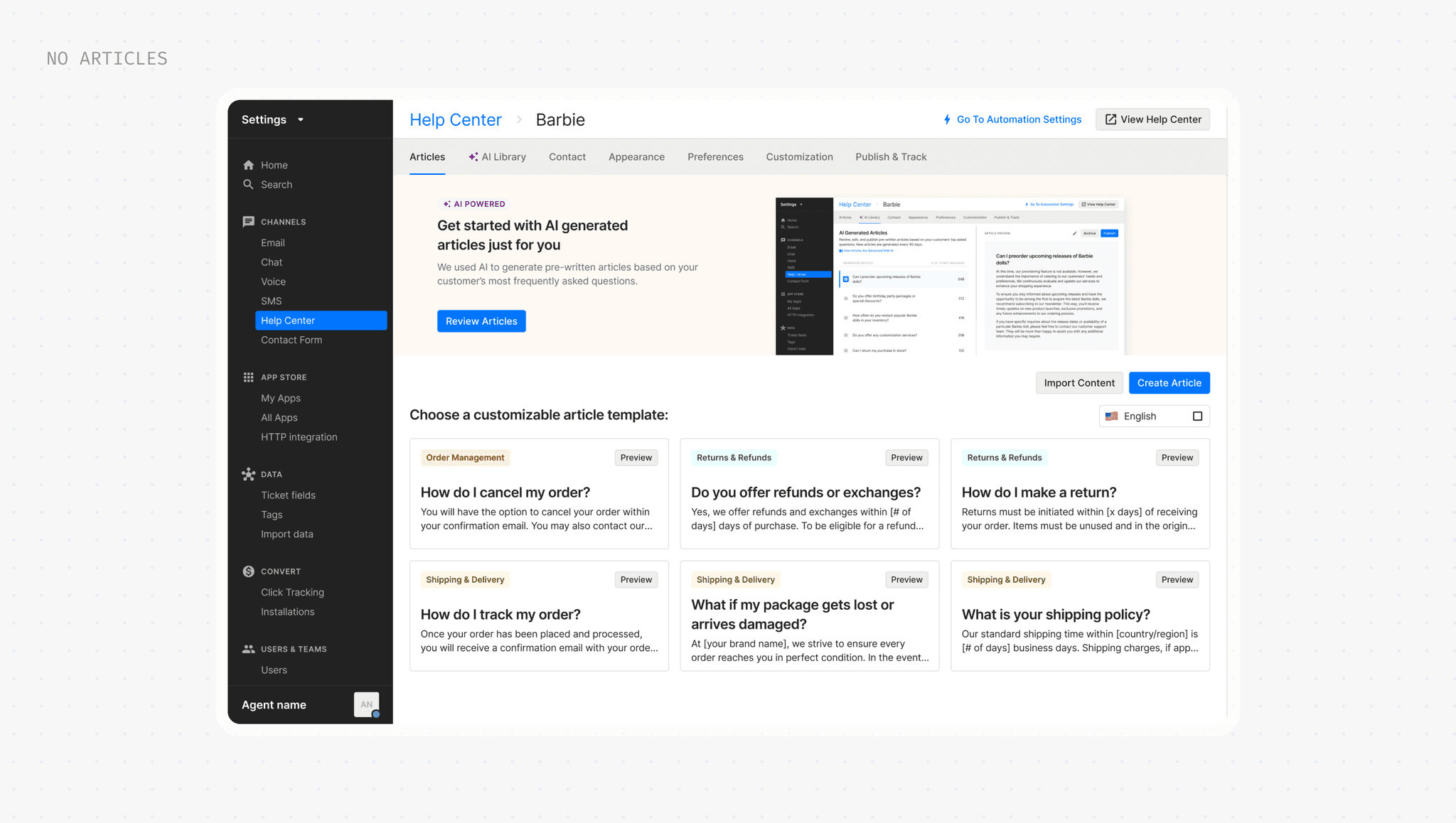
I prioritized AI articles at two critical moments: first in the onboarding wizard, and again on the empty state of the Articles tab for users who skip the initial setup.
AWARENESS
Agents only update content ~3x a year
Since the Help Center settings isn't a frequently visited space, I needed alternative ways to notify users about new AI-generated articles to encourage them to add content. At the time, in-product notifications didn't yet exist.
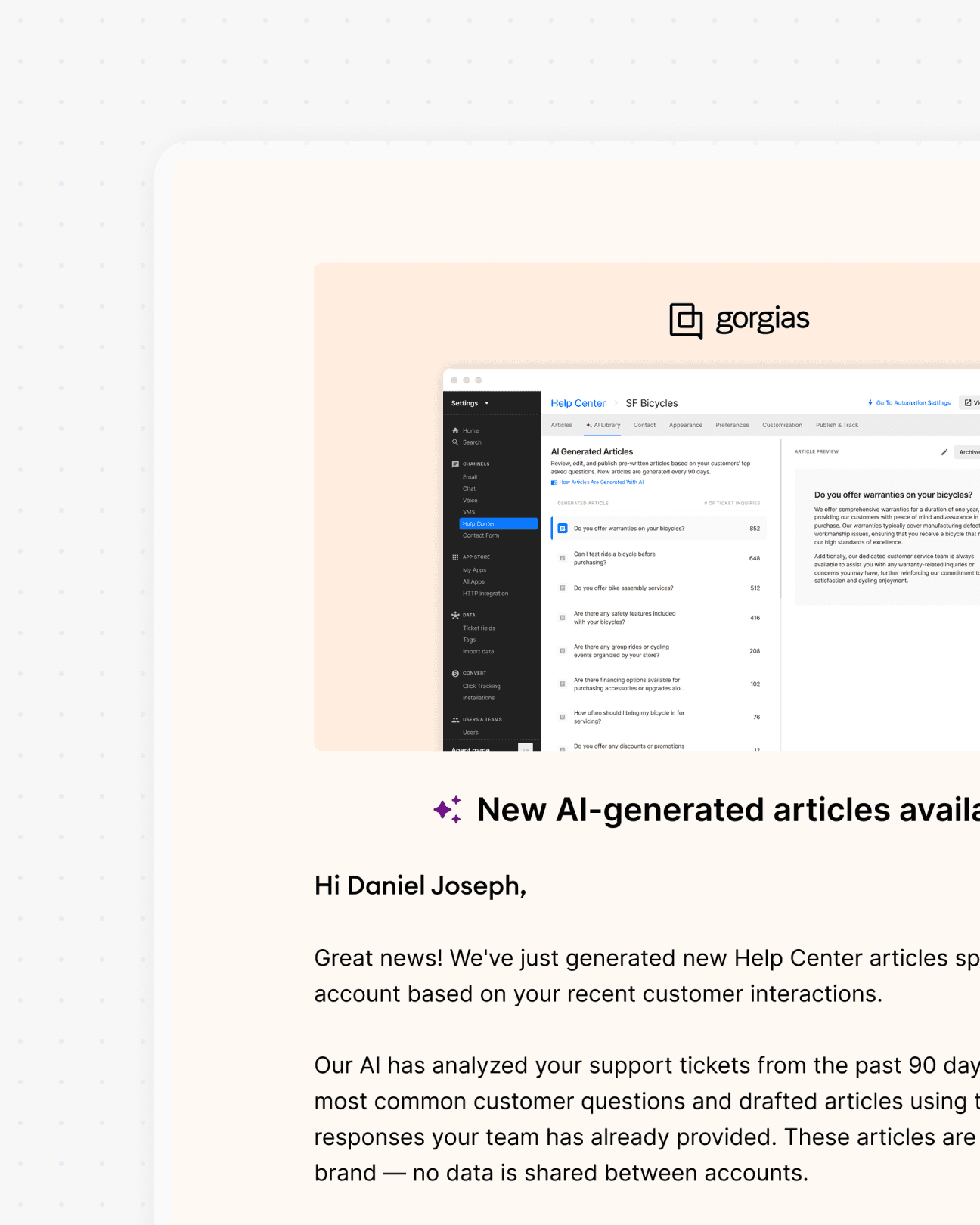
External email
Partnered with Growth to send emails every article generation.
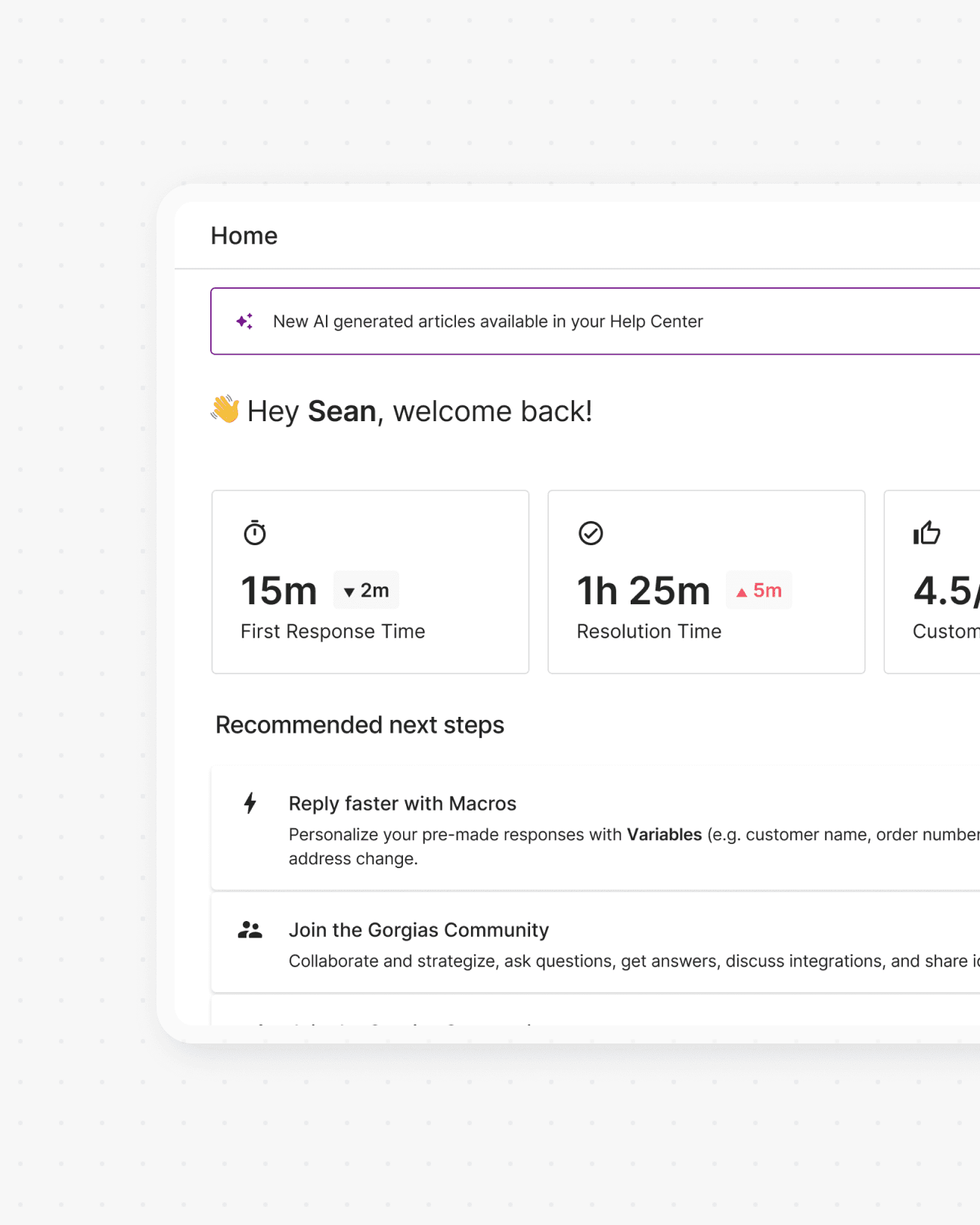
Homepage banner
Targeted a high-visibility page where agents land first every session.
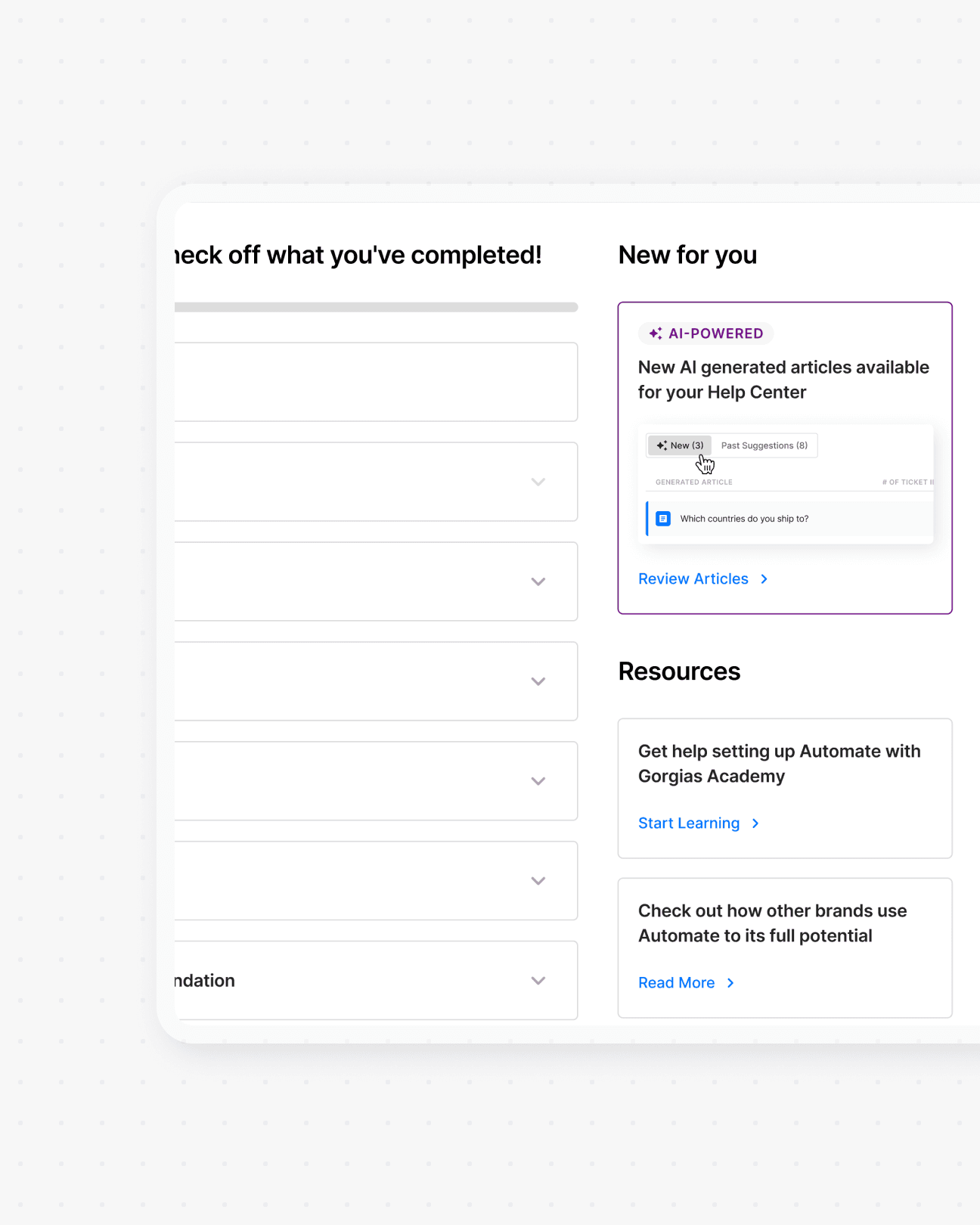
Automate dashboard
Created a new section on a frequently visited dashboard for automation.
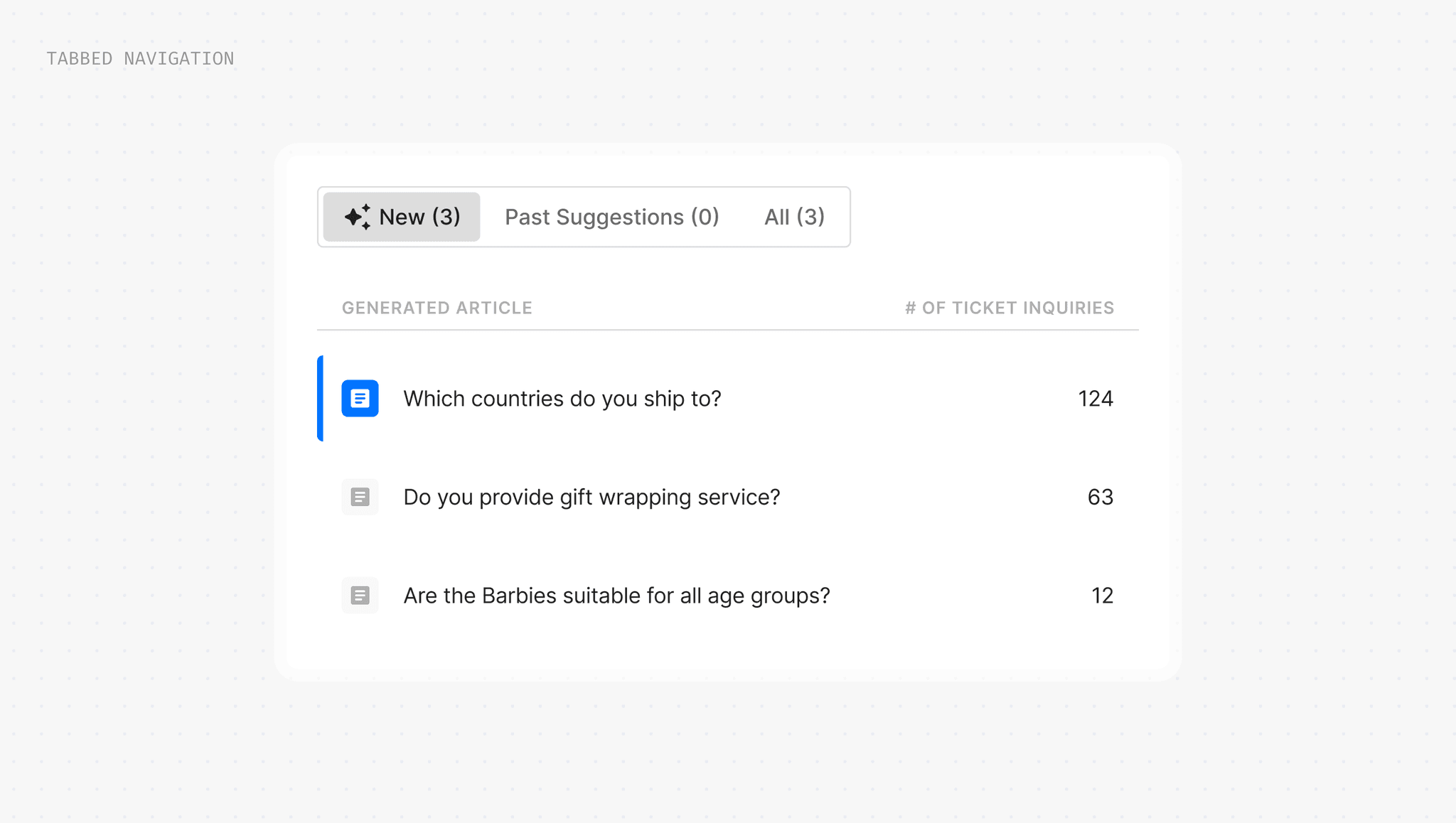
New articles represented in tabbed navigation
When new articles are generated, status-based tabs appear so that agents can quickly triage new vs. reviewed.
LEARNINGS
When in doubt, talk to users
In a project full of unknowns, assumptions stalled my progress. Talking to users gave me the proof we needed to settle debates and and cut through the noise, giving me clear evidence to confidently move forward.
Simplicity beats over-education
In trying to explain everything, I added unnecessary complexity. Observing real usage reminded me that intuitive patterns and minimal UI often communicate better than heavy instruction.